What Is a Fake Instagram DM Generator?
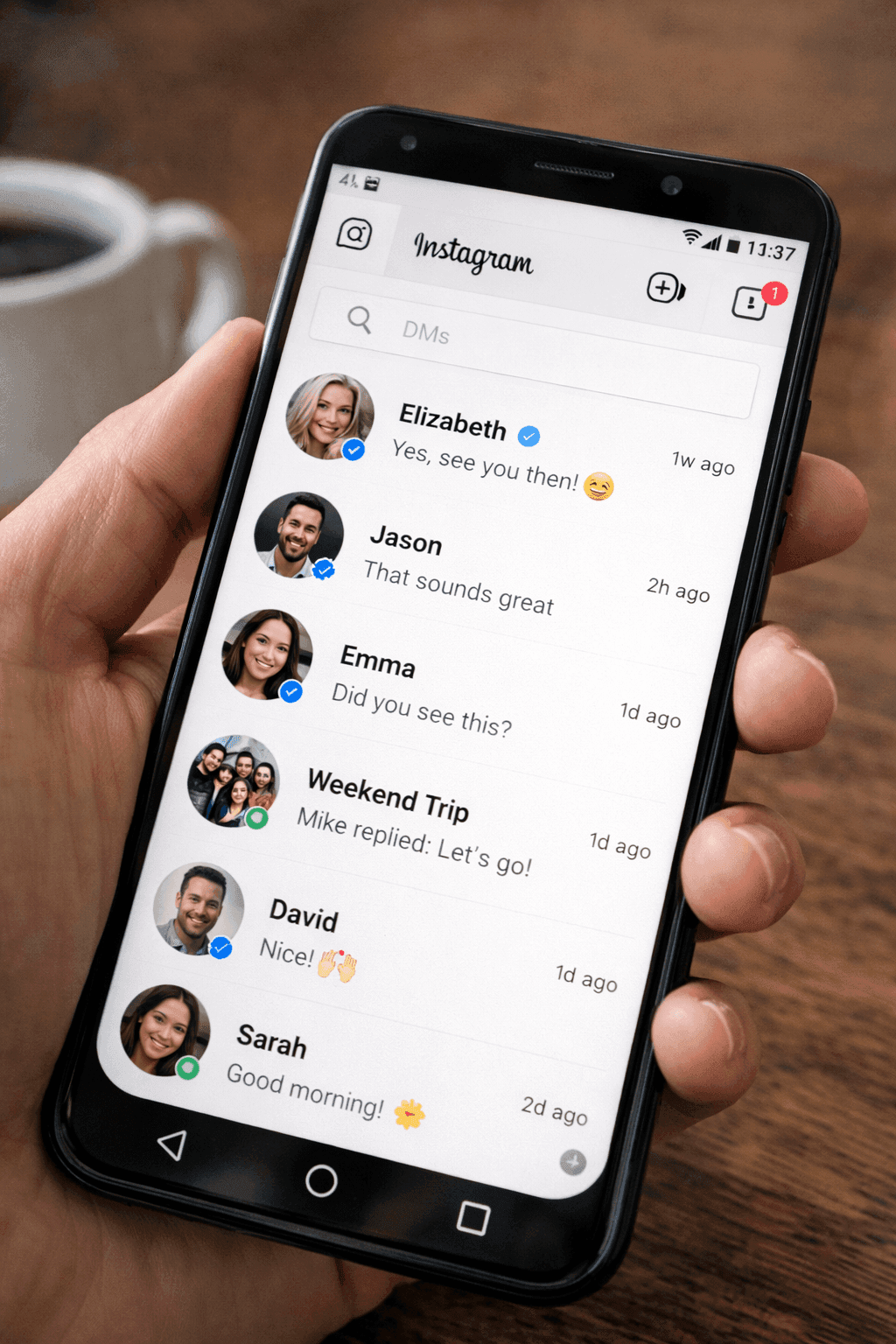
A fake Instagram DM generator is a browser tool that creates realistic Instagram Direct Message mockups. You type the conversation, set profile pictures and usernames, and export the result as a high-res image. No need to screenshot your actual DMs or deal with privacy concerns.
You know that moment when a brand slides into an influencer's DMs and it actually works? Or when a customer sends a glowing message that would make perfect social proof, if only you could share it without the awkward screenshot crop?
That's where Instagram DM mockups come in. They let you recreate those conversations in a clean, polished format that actually looks good in a presentation or post.
This guide walks through how to make Instagram DM mockups that feel natural.
Why Create Instagram DM Mockups?
A few common scenarios:
- Influencer collabs: Showing how a partnership conversation went (or could go)
- Case studies: Proving your outreach actually gets responses
- Tutorial content: Teaching DM strategy without exposing real conversations
- Social proof: That happy customer message deserves better than a cropped screenshot
- Content creation: Relatable DM content performs well when it looks right
- Training: Showing your team what good (or bad) outreach looks like
The Visual Bar Is High
Instagram users expect polish. A janky mockup stands out for the wrong reasons.
Step-by-Step: Creating Instagram DM Mockups
Step 1: Open the Generator
Hit up Mockly's Instagram DM generator. Free to try.
Step 2: Set Up Profiles
Fill in the basics for each person:
- Username: Their handle (skip the @)
- Display name: What shows up in the chat header
- Profile picture: Adds that extra layer of believability
- Verified badge: If they've got the blue check, add it
Step 3: Write the Conversation
Build out the exchange. The Instagram mockup renders:
- Text messages with Instagram's gradient bubble styling
- Image attachments inside the bubble
- "Active now" status in the header
Here's what a brand collab DM might look like:
Brand Collaboration
Influencer outreach example
Step 4: Customize the Look
Dial in the details:
- Theme: Light or dark, match your feed aesthetic
- Message bubbles: Purple/blue for your messages, gray for theirs
- Seen indicator: That little "Seen" that haunts us all
- Active status: Green dot if they're online
Match Your Vibe
If your Instagram feed is dark and moody, your DM mockups should be too. Consistency is the whole game.
Step 5: Export
Download your mockup:
- High-resolution PNG
- Perfect for Instagram Stories (1080x1920)
- Transparent background available
- Retina-ready exports
What the Instagram Mockup Includes
- Gradient message bubbles: Instagram's signature purple-to-blue gradient on your messages, gray on the other side
- Image attachments inside bubbles with the correct rounded corners
- Custom avatars and usernames for both sides
- Verified badge toggle
- "Active now" status in the header
- Light and dark mode to match your project's aesthetic
- Group chats with multiple participants
For richer features like voice messages or Reel shares, the current renderer focuses on text and images; those interactions are not part of the mockup yet.
Use Case Examples
Customer Testimonial
Customer Feedback
Happy customer interaction
Sales Inquiry
Sales Conversation
Product inquiry example
Tips for Convincing Instagram DM Mockups
Write Like People Actually DM
Nobody writes essays in DMs. Think:
- Short bursts, not paragraphs
- Casual: contractions, lowercase, maybe a typo
- Emojis sprinkled in (but not overdone)
- Heart reactions instead of typing "love that"
Get the Timing Right
- Back-and-forth convos happen fast, minutes apart
- Busy people take hours to respond (that's realistic, not rude)
- International collabs? Time zones show in the timestamps
Best Practices
For Marketing Use
- Base mockups on real interactions when possible
- Get permission if quoting real customers
- Add disclaimers where required by regulations
- Keep the tone consistent with your brand voice
For Content Creation
- Match the aesthetic of your other content
- Use consistent usernames across mockups
- Create series for ongoing narratives
- Optimize dimensions for your posting platform
Quick Note on Disclosure
Using these in ads? FTC has rules about simulated content. When in doubt, add "Simulated conversation" somewhere small.
Common Questions
Can I create Instagram group DM mockups?
Yes! Mockly supports Instagram group conversations with multiple participants.
How do I show verified accounts?
Toggle the verified badge option for any profile to display the blue checkmark.
Related Tools
Creating content across apps? Check out these generators:
Related Guides
Creating content for other apps? Check out these tutorials:
- How to Make Fake TikTok DMs
- How to Make Fake Snapchat Messages
- How to Make Fake WhatsApp Chat
- How to Make Fake Discord Messages
- Complete Guide to Fake Screenshots
- Fake Chat Screenshots for Filmmakers
Start Creating
Ready to try it? Open Mockly's Instagram generator and build your first DM mockup in under a minute.
Try it yourself
Create your first mockup in under a minute
40+ apps. Free to try, no signup needed.
Start your mockupAbout the author
Elena Brooks
Content Editor
Elena writes step-by-step tutorials and practical guides for creating realistic chat and social mockups. She focuses on helping creators quickly turn ideas into polished visuals that look believable in demos, landing pages, and client work.
Tags
More from the blog
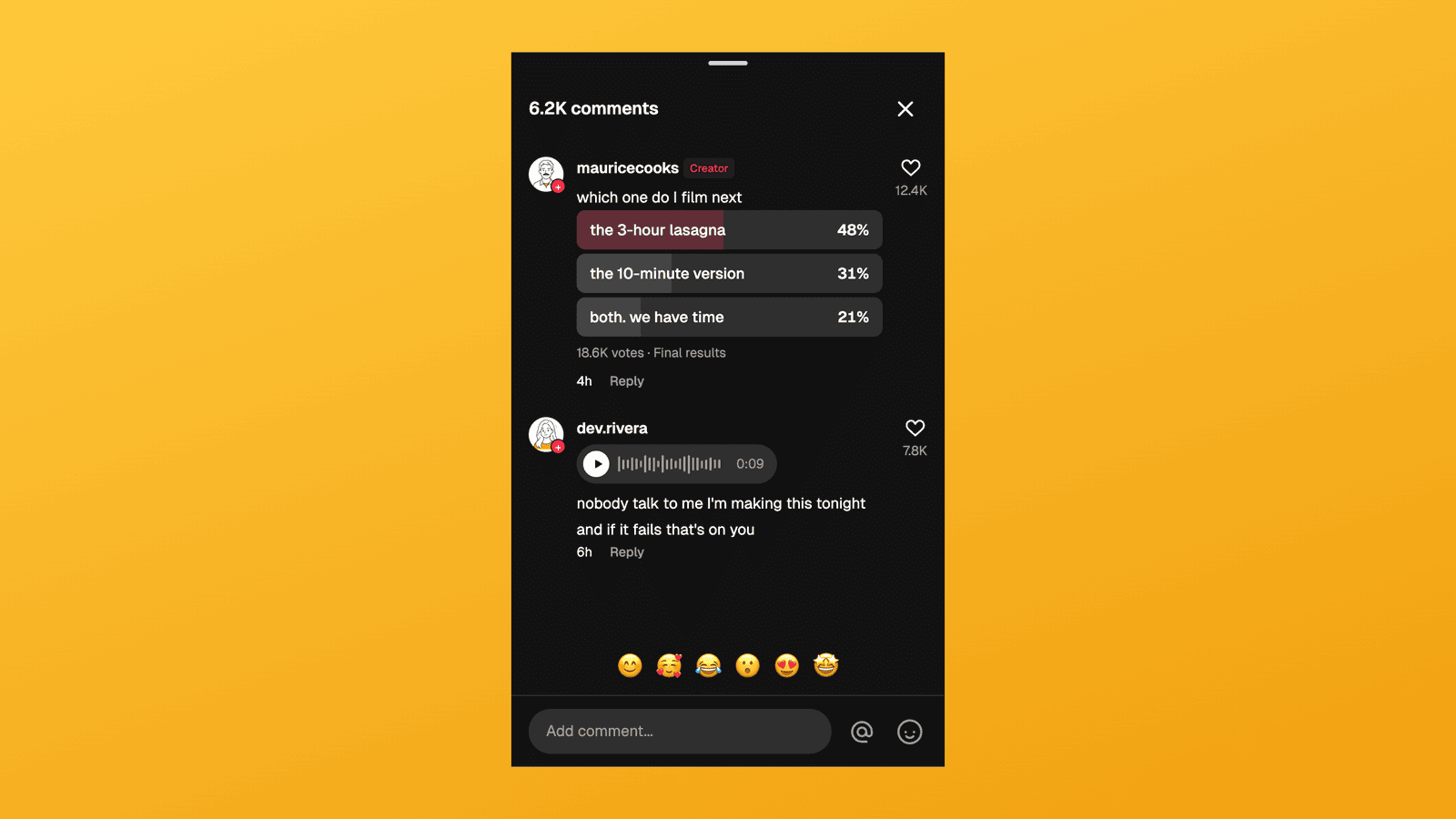
TikTok Comment Template: Voice Comments, Polls and Replies
Make TikTok comment mockups with voice comments and creator polls, plus the Creator badge, replies and heart counts. Free to try, no signup needed.
Instagram Comment Generator: Create Realistic Comment Mockups (Free)
Generate realistic fake Instagram comments for mockups, presentations, and content creation. Free Instagram comment generator with likes, replies, and verified badges. Try free.
WhatsApp Username Chat Mockups: The @Handle Header (2026)
Make a WhatsApp chat mockup with the @username header. What the 2026 username rollout changed, what stayed, and three examples you can copy. Free to try.