
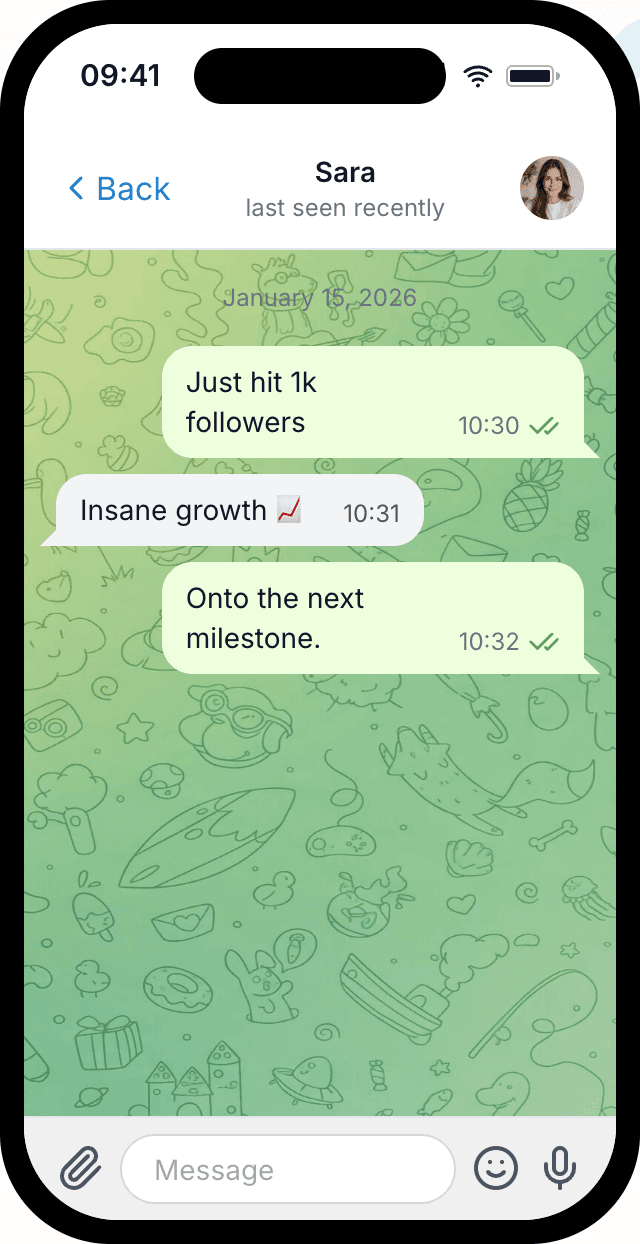
Fake Telegram chat examples
Real exports made with Mockly: a clean screenshot with photos, a group chat in a device frame, and a slowly rotating 3D video. Click a screenshot to view it full size.
When should you use a Telegram mockup?
A Telegram mockup is useful when a conversation needs to feel like a channel, group, or privacy-aware messaging thread rather than a generic text exchange. It works especially well for community updates, creator channels, crypto or tech groups, and international messaging contexts.
Telegram screenshots feel believable when the content matches the format: concise updates, group reactions, channel-style context, and interface details that do not look like WhatsApp or iMessage with different colors.
Telegram mockups are best for
Pick the format that matches the situation instead of defaulting to the most obvious app.
Channels and communities
Telegram is strong when the story involves public channels, community updates, or group conversations rather than one private SMS-style exchange.
Tech-native messaging
Use it for creator, crypto, SaaS, or tech audiences that already recognize Telegram as a native communication space.
Global messaging contexts
Telegram can make international or privacy-aware conversations feel more natural than iMessage or Messenger.
Details that make Telegram mockups believable
These are the cues that make this mockup format feel native instead of generic.
Chat type changes the story
Decide whether the scene is a direct chat, group, or channel before writing. Each one carries a different meaning.
Message cadence should feel native
Telegram copy often works best as short updates and replies, not polished marketing paragraphs.
Interface details separate it from WhatsApp
Names, avatars, timestamps, and grouping need to match the Telegram context so it does not read as a recolored WhatsApp screenshot.
Community context matters
Telegram is often chosen for community or channel proof, so make the screenshot readable as a shared context, not just a private exchange.
Real-world Telegram mockup examples
Use cases beat generic claims. These are the kinds of examples people actually build with this format.
Channel announcement examples
Show a creator, founder, or community admin posting an update with quick replies from members.
Community reaction screenshots
Build a realistic group-chat screenshot for a product launch, crypto community, or private beta update.
Privacy-aware story props
Create message props for international or privacy-oriented stories without exposing real conversations.
Common mistakes
Most weak mockups fail on context, not styling.
- 1
Choosing Telegram without a reason
A Telegram mockup falls flat when the conversation would obviously make more sense as WhatsApp, iMessage, or Discord.
- 2
Writing copy that sounds too polished
Long, ad-like messages make channel and group screenshots feel staged instead of native.
- 3
Ignoring community context
If group/channel context is missing, the screenshot loses the thing that makes Telegram distinct.
Telegram workflow template
Use this when you need a Telegram screenshot for a community, channel, or international messaging context.
Starter template
Use case: community launch update
Format: Telegram group chat
Participants: founder, admin, 2 members
Goal: show early excitement and questions
Tone: fast, specific, tech-native
- 1
Choose direct chat, group chat, or channel context first.
- 2
Set names, avatars, and timestamps to match the scene.
- 3
Write concise updates and replies instead of long paragraphs.
- 4
Make sure the conversation reads clearly at social or deck size.
- 5
Export the mockup as an image or video depending on the campaign format.
When Telegram is the right format
Use the right mockup type for the proof you want to show.
"Mockly manages to set itself apart while iterating on such a popular idea by simply being usable."
You're in good company
30,000+
Creators, marketers, and production teams use Mockly for realistic mockups that do not depend on live app screenshots.
One editor. 40+ apps. Still image or video when the story needs motion.
Try other chat mockups
Explore the same realistic styling on the apps your audience already knows.
Fake TikTok chat
Read about the TikTok chat generator
Fake Messenger chat
Read about the Messenger chat generatorCreate perfect Telegram Message Screenshots with Mockly
Everything you need to make chat mockups that actually look real.
Realistic Chat Interface
Perfect replica of Telegram's interface including chat bubbles, timestamps, and status indicators.
Custom Participants
Add custom names, profile pictures, and online status for each participant in your conversation.
Full Customization
Control every aspect of your chat including message timing, delivery status, and conversation flow.
High-Quality Export
Export your fake chat screenshots in high resolution, perfect for presentations and social media.
Need the full Mockly workflow?
Sign up free to keep your mockups in one place, export clean files, and turn still mockups into motion when the project needs more than a static image.
Create your Telegram message mockup in 4 easy steps
Most people have their first mockup ready in under a minute once they know which format they need.
Choose App
Select from WhatsApp, Instagram, iMessage, and other popular messaging apps.
Add Participants
Set names and profile pictures for each person in your conversation mockup.
Write Conversation
Add messages, change dates, reorder the conversation, and include images.
Export & Share
Download your fake chat screenshot as a high-quality image or video and share it anywhere.
Ready to create your first Telegram chat screenshot?
You can start Mockly for free. No strings attached.
Loved by Creators, Designers, and Marketers
Whether you're making memes or client decks, same tool, same editor.
Social Media Content
Create engaging chat screenshots for Instagram stories, TikTok videos, and Twitter posts. Perfect for memes, jokes, and viral content.
Design Mockups
Showcase your app or service in a realistic chat context. Perfect for portfolio presentations and client proposals.
Marketing Campaigns
Create compelling customer testimonials and social proof. Show how people talk about your brand naturally.
Personal Fun
Create funny conversations with friends, plan pranks, or just have fun with creative storytelling through chat.
Related pages
Keep building from here
Jump to the closest hub, editor, or guide for this mockup type.
Got questions?
Common questions about Telegram chat mockups.
"Replaced three different tools with Mockly. The video export alone saved me hours every week on client presentations."
Ready when you are
Ready to create fake Telegram screenshots?
Used by creators, designers, and marketers who need mockups that hold up.
No credit card required