
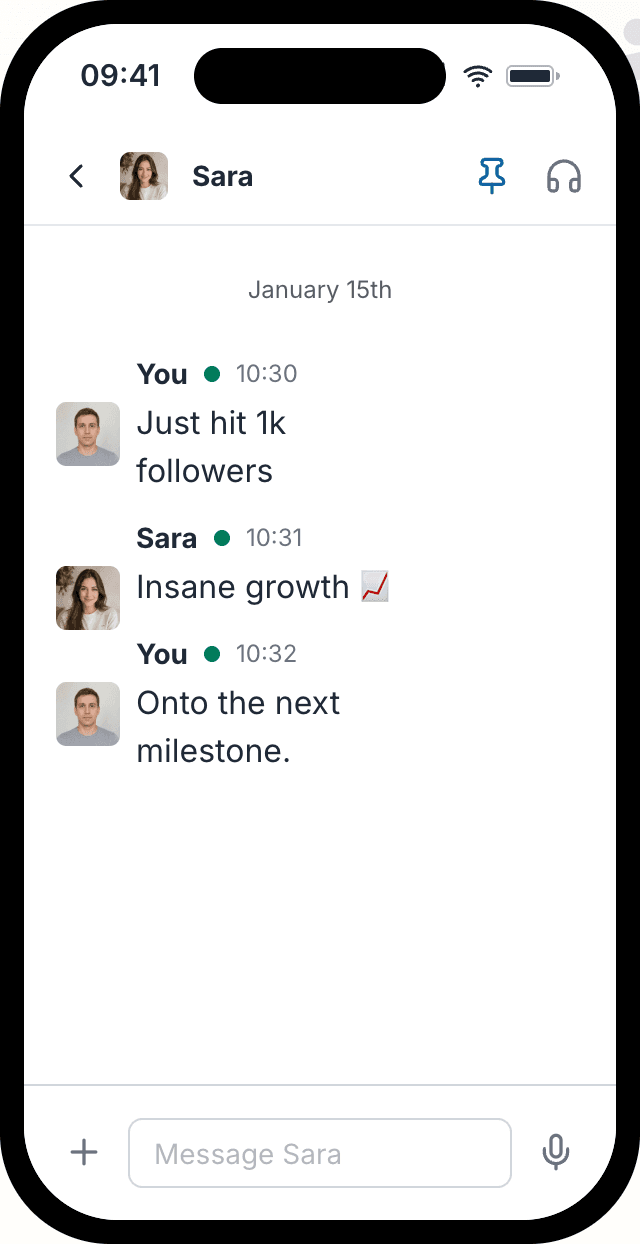
Fake Slack chat examples
Real exports made with Mockly: a clean screenshot with photos, a group chat in a device frame, and a slowly rotating 3D video. Click a screenshot to view it full size.
Why use a Slack mockup?
Slack mockups work when the message should feel like team communication, client feedback, or internal approval. They are especially strong for B2B proof because the context already suggests work, not entertainment.
Mockly's Slack mockups help you choose Slack over WhatsApp or Teams when the context calls for it, nail the realism details in work-chat screenshots, and avoid the obvious 'fake internal chat' look.
Slack mockups are best for
Pick the format that matches the situation instead of defaulting to the most obvious app.
B2B social proof
Slack is strong for onboarding wins, feature feedback, and team reactions inside a work context.
Client and agency decks
Agencies and SaaS teams can use Slack mockups to show approvals, praise, or delivery milestones in decks.
Internal comms props
Slack is useful when you need a believable internal comms prop for training or production.
Details that make Slack mockups work
These are the cues that make this mockup format feel native instead of generic.
DM vs channel context changes the meaning
A DM and a channel screenshot tell different stories. Decide that first.
Spacing is a realism signal
Message grouping, timestamps, and avatar rhythm do a lot of authenticity work in Slack layouts.
The format carries B2B credibility
Slack feels more credible for work testimonials than consumer chat apps when the buyer is a team or manager.
Specificity matters more than hype
Short, specific language beats generic praise because work chat usually sounds direct and useful.
Real-world Slack mockup examples
Use cases beat generic claims. These are the kinds of examples people actually build with this format.
Customer proof inside a work tool
Show a customer ops team reacting to a faster workflow or onboarding improvement.
Agency deck visuals
Mock up an approval thread for a client pitch or agency proposal.
Internal team communication examples
Build internal announcement examples for docs, demos, or training materials.
Common mistakes
Most weak mockups fail on context, not styling.
- 1
Writing praise that sounds too approved
Work chat feels fake when every message sounds like a polished testimonial instead of a real team reaction.
- 2
Using Slack for the wrong workplace context
If the scene should feel official and enterprise-heavy, Teams may be a better fit than Slack.
- 3
Forgetting the communication setting
Missing channel or DM context is one of the fastest ways to flatten the screenshot.
Slack workflow template
Use this when you want a work-chat mockup that feels useful in a deck, demo, or piece of social proof.
Starter template
Use case: B2B testimonial for a sales deck
Format: Slack DM
Outcome to show: onboarding time cut in half
Tone: direct, positive, not marketing-polished
Realism detail to include: one quick follow-up reply
- 1
Pick DM or channel format based on the story you need to tell.
- 2
Set names, avatars, and timestamps before drafting copy.
- 3
Write short, helpful messages that sound like real team chat.
- 4
Keep one concrete outcome in the screenshot, such as time saved or a task completed.
- 5
Check that the mockup still reads clearly at slide or thumbnail size.
When Slack is the right call
Use the right mockup type for the proof you want to show.
"Mockly manages to set itself apart while iterating on such a popular idea by simply being usable."
You're in good company
30,000+
Creators, marketers, and production teams use Mockly for realistic mockups that do not depend on live app screenshots.
One editor. 40+ apps. Still image or video when the story needs motion.
Try other chat mockups
Explore the same realistic styling on the apps your audience already knows.
Fake Bluesky chat
Read about the Bluesky chat generatorFake Snapchat chat
Read about the Snapchat chat generatorFake WeChat chat
Read about the WeChat chat generatorCreate perfect Slack Message Screenshots with Mockly
Everything you need to make chat mockups that actually look real.
Realistic Chat Interface
Perfect replica of Slack's interface including chat bubbles, timestamps, and status indicators.
Custom Participants
Add custom names, profile pictures, and online status for each participant in your conversation.
Full Customization
Control every aspect of your chat including message timing, delivery status, and conversation flow.
High-Quality Export
Export your fake chat screenshots in high resolution, perfect for presentations and social media.
Need the full Mockly workflow?
Sign up free to keep your mockups in one place, export clean files, and turn still mockups into motion when the project needs more than a static image.
Create your Slack message mockup in 4 easy steps
Most people have their first mockup ready in under a minute once they know which format they need.
Choose App
Select from WhatsApp, Instagram, iMessage, and other popular messaging apps.
Add Participants
Set names and profile pictures for each person in your conversation mockup.
Write Conversation
Add messages, change dates, reorder the conversation, and include images.
Export & Share
Download your fake chat screenshot as a high-quality image or video and share it anywhere.
Ready to create your first Slack chat screenshot?
You can start Mockly for free. No strings attached.
Loved by Creators, Designers, and Marketers
Whether you're making memes or client decks, same tool, same editor.
Social Media Content
Create engaging chat screenshots for Instagram stories, TikTok videos, and Twitter posts. Perfect for memes, jokes, and viral content.
Design Mockups
Showcase your app or service in a realistic chat context. Perfect for portfolio presentations and client proposals.
Marketing Campaigns
Create compelling customer testimonials and social proof. Show how people talk about your brand naturally.
Personal Fun
Create funny conversations with friends, plan pranks, or just have fun with creative storytelling through chat.
Related pages
Keep building from here
Jump to the closest hub, editor, or guide for this mockup type.
Got questions?
Common questions about Slack chat mockups.
"Replaced three different tools with Mockly. The video export alone saved me hours every week on client presentations."
Ready when you are
Ready to create fake Slack screenshots?
Used by creators, designers, and marketers who need mockups that hold up.
No credit card required