"Mockly manages to set itself apart while iterating on such a popular idea by simply being usable."
You're in good company
30,000+
Creators, marketers, and production teams use Mockly for realistic mockups that do not depend on live app screenshots.
One editor. 40+ apps. Still image or video when the story needs motion.
Create perfect iPhone notification screenshots with Mockly
Make notification mockups that match the real iPhone lock screen.
Real Lock Screen
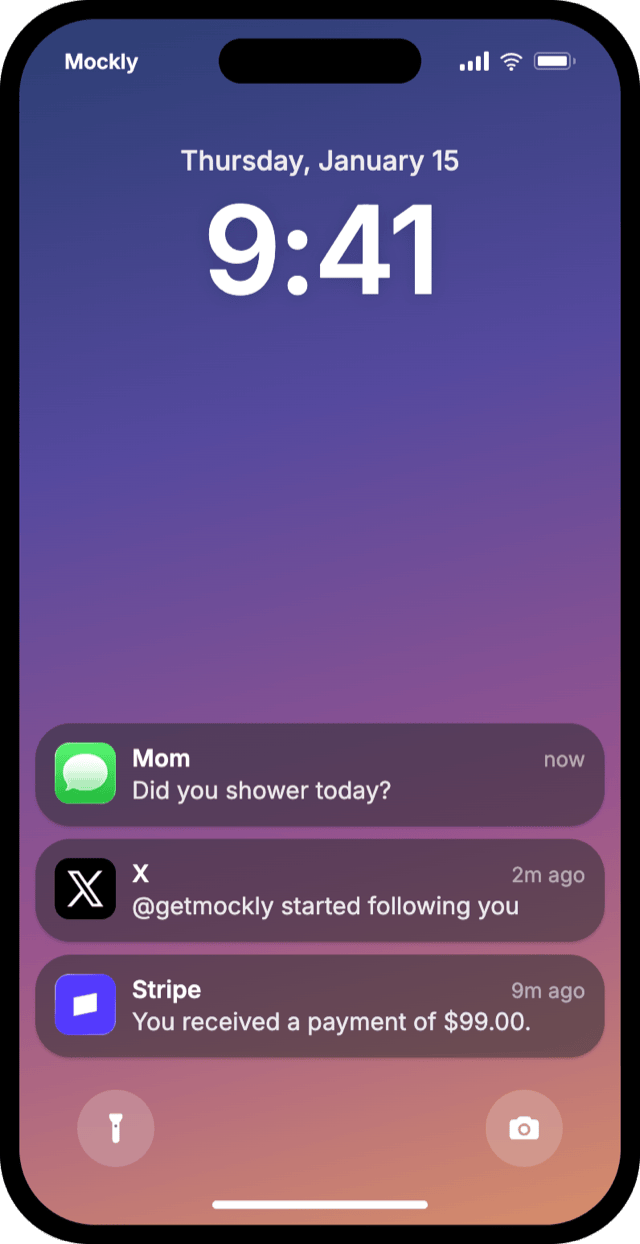
Full lock screen with clock, date, carrier text, and status bar. Notification cards in the classic frosted style or the newer Liquid Glass look.
Real App Icons
Pick real app icons for iMessage, WhatsApp, Instagram, Stripe, and more, or upload your own logo and thumbnail.
Custom Wallpapers
Choose a preset wallpaper or upload your own. Text and card material adapt to light or dark backgrounds automatically.
Image, Video & 3D Export
Export a high-resolution image, a video where notifications land one by one, or a 3D view of the phone.
Need the full Mockly workflow?
Sign up free to keep your mockups in one place, export clean files, and turn still mockups into motion when the project needs more than a static image.
Create your iPhone notification mockup in 4 easy steps
Most people have their first mockup ready in under a minute once they know which format they need.
Edit the Notifications
Click any notification card to edit its app name, message text, and time label.
Pick App Icons
Pick real app icons like iMessage, WhatsApp, or Stripe, or upload your own logo.
Style the Lock Screen
Choose a wallpaper, switch card styles, and click the clock or date to change them.
Export & Share
Download a high-quality screenshot, or export a video where each notification lands one by one.
Ready to create your first iPhone notification mockup?
You can start Mockly for free. No strings attached.
Loved by Creators, Designers, and Marketers
Whether you're making memes or client decks, same tool, same editor.
Social Media Content
Create engaging chat screenshots for Instagram stories, TikTok videos, and Twitter posts. Perfect for memes, jokes, and viral content.
Design Mockups
Showcase your app or service in a realistic chat context. Perfect for portfolio presentations and client proposals.
Marketing Campaigns
Create compelling customer testimonials and social proof. Show how people talk about your brand naturally.
Personal Fun
Create funny conversations with friends, plan pranks, or just have fun with creative storytelling through chat.
Related pages
Keep building from here
Jump to the closest hub, editor, or guide for this mockup type.
Got questions?
Common questions about iPhone notification mockups.
"Replaced three different tools with Mockly. The video export alone saved me hours every week on client presentations."
Ready when you are
Ready to create fake iPhone notifications?
Used by creators and marketers who need notification mockups that look real.
No credit card required