
The chat video generator that makes texting look alive
Type a conversation, pick a chat app, and Mockly turns it into an animated MP4 — messages appearing one by one with typing indicators. Built for TikTok, Reels, and Shorts. The video on the right is a real Mockly export.
A chat mockup, but it moves
A chat video is a message mockup that plays out instead of sitting still. Each line arrives on its own, typing dots fill the gaps, and the whole thing exports as an MP4.
It's the difference between showing a screenshot and showing a moment. Video export is a Premium feature — chat and story mockups both support it.
Message-by-message reveal
Messages fade in one at a time, with typing dots in between. It plays like a real conversation happening live.
Vertical-first by default
Exports at 9:16, the native frame for TikTok, Reels, and Shorts. No cropping, no awkward letterboxing.
Apps that look right
23 chat apps, each matching the real interface — bubbles, read receipts, status bar, dark mode. WhatsApp looks like WhatsApp.
HD and 4K output
Premium exports in HD and 4K. 4K survives platform re-compression, so your text stays sharp after upload.
Same scene, any app
Every one of these started as a typed conversation in Mockly. Switch the app and the bubbles, colors, and read receipts change with it — then export the animated version.
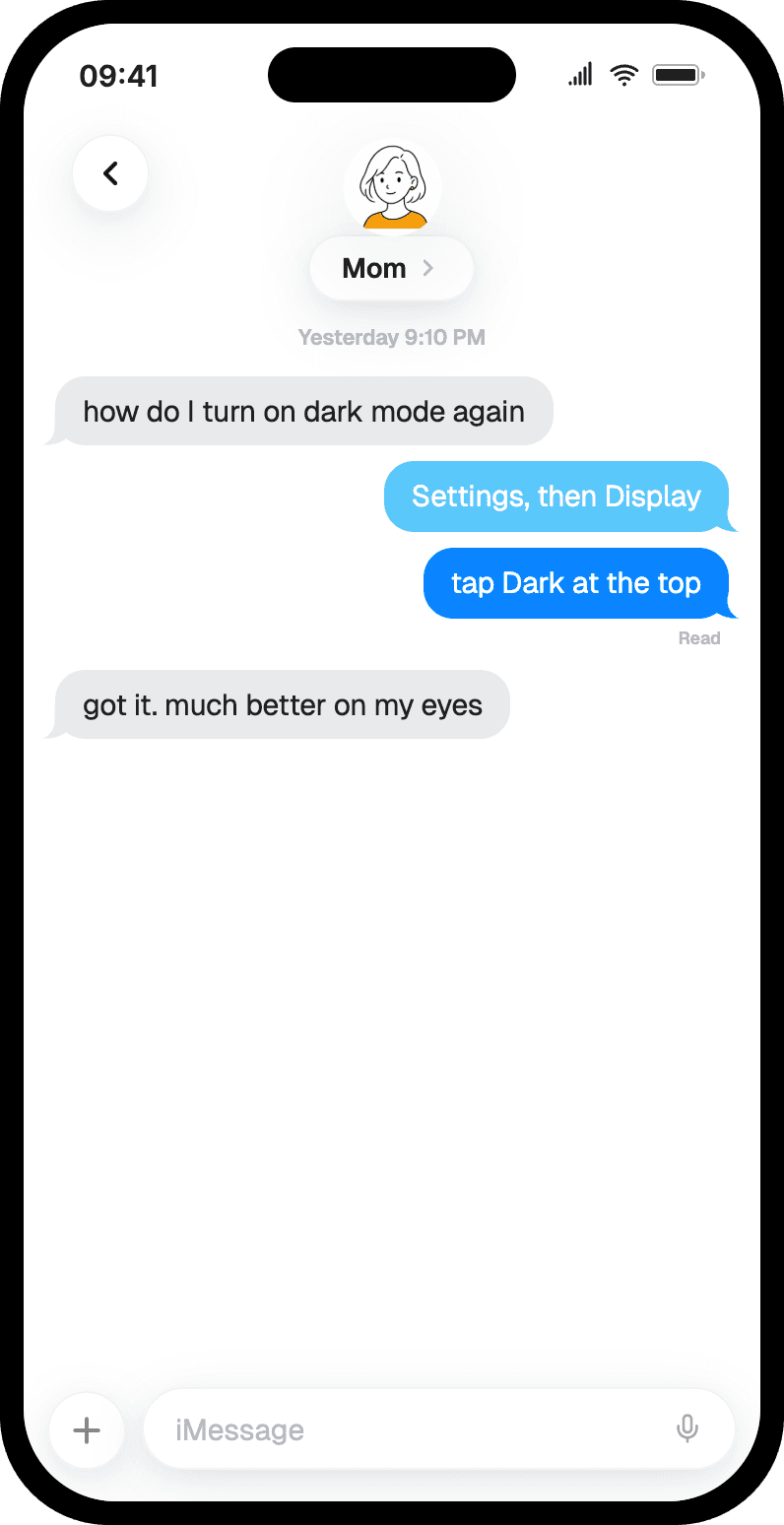
iMessage
Clean blue bubbles, classic SMS look.
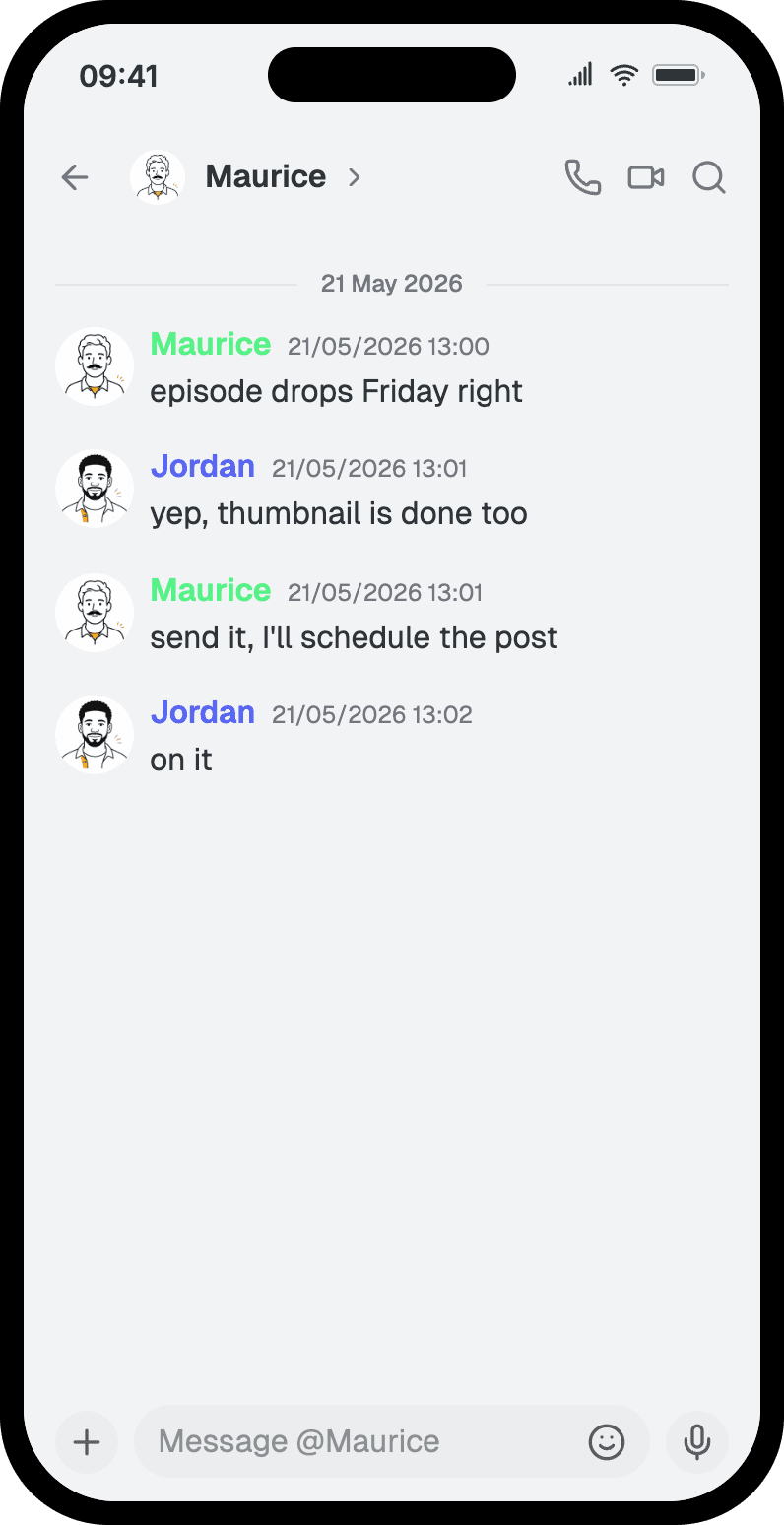
Discord
Role-colored names, dark theme.
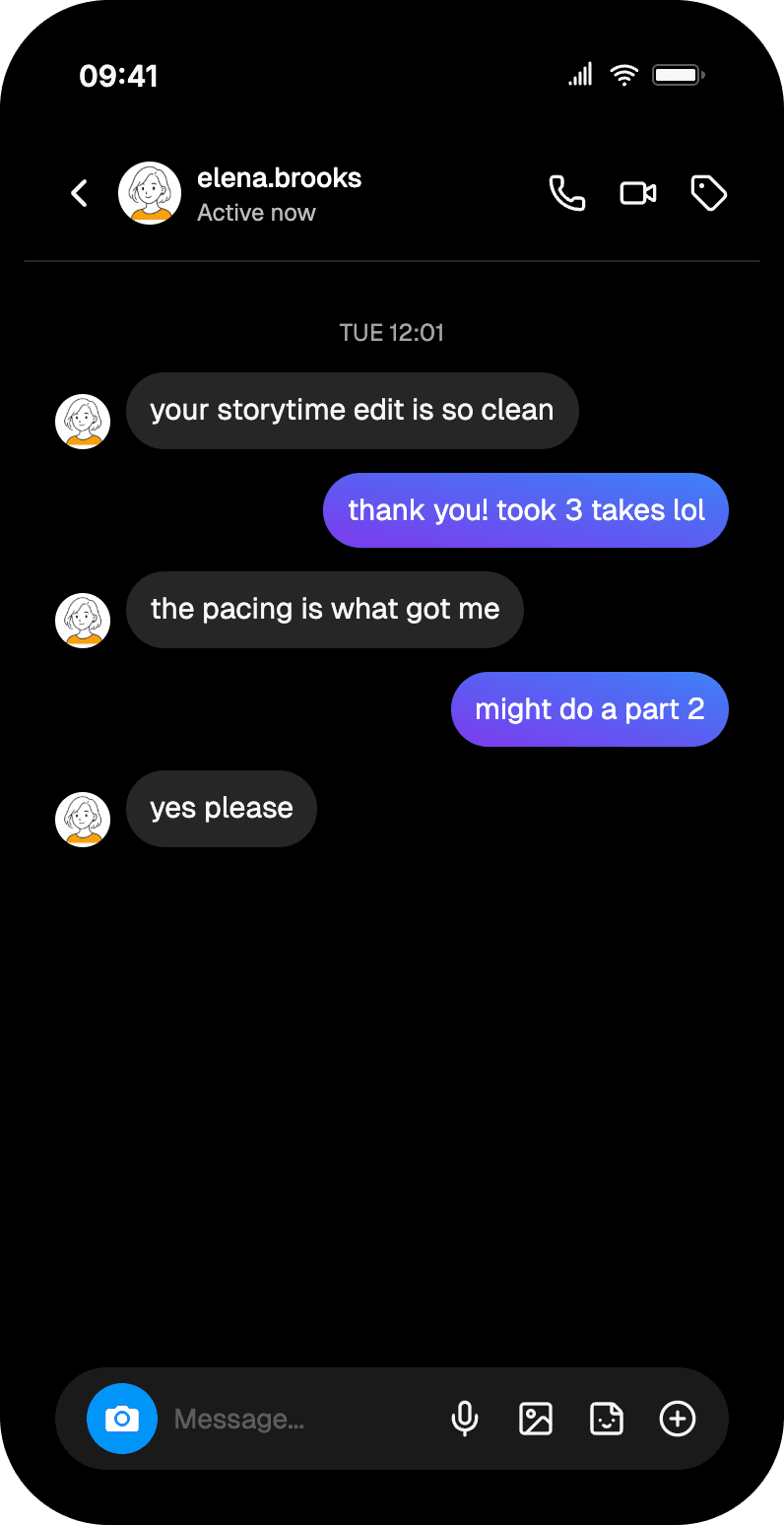
Gradient bubbles, seen states.
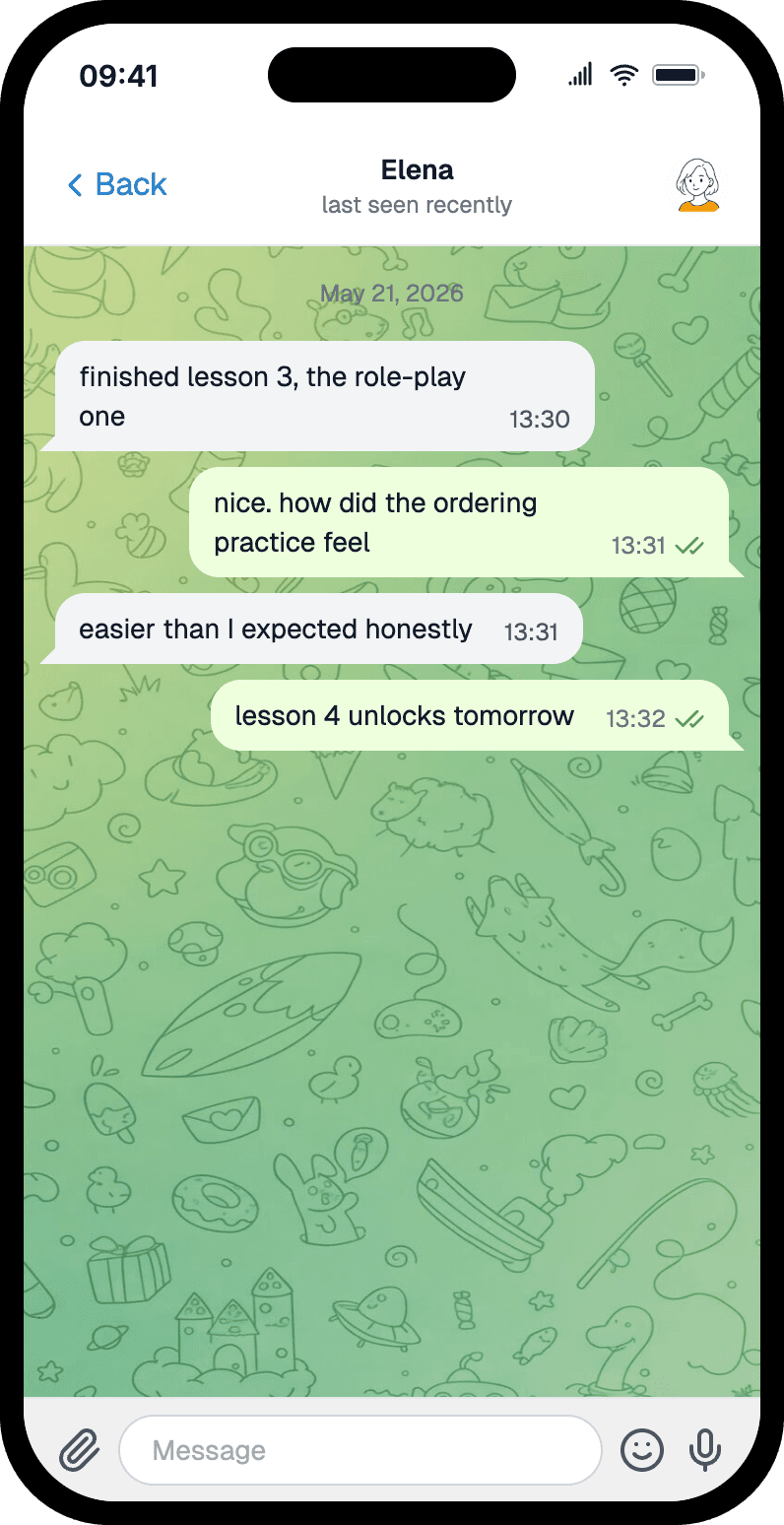
Telegram
Tinted bubbles, course-ready.
Typed to MP4 in three steps
Pick a chat app
Choose WhatsApp, iMessage, Instagram, Discord, Telegram, or any of the 23 chat apps. Each one matches the real interface.
Write the conversation
Type each message, set who sent it, and adjust timestamps. Keep the sequence short so it reads well in a vertical frame.
Export the MP4
Export as an animated video. Messages appear one by one with typing indicators, ready for TikTok, Reels, or Shorts.
Made for people who post video
TikTok storytime creators
Turn a screenshot storytime into motion. The conversation reveals itself line by line — the same hook, but it holds attention longer.
Reels and Shorts editors
Drop an animated chat into a Reel or Short as a cold open. A texting scene is an instant scroll-stopper.
Marketers and ad teams
Show a product flow or a support exchange as a short clip. Easier to follow than a static slide in a deck or ad.
Educators and course builders
Build course clips that walk through a conversation step by step — onboarding, role-play, language practice.
Video export is Premium
Your first watermarked image export is free, and a free account adds 3 more to test the look. Premium adds animated MP4 export, no watermark, HD and 4K, and unlimited exports.
Related pages
WhatsApp chat videos
Make animated WhatsApp chats and group chats for video.
Discord chat videos
Discord DM and channel videos with role-colored names.
Instagram DM videos
Instagram DM videos with gradient bubbles and seen states.
3D phone mockups
Angled phone views for stronger short-form visuals.
Chat screenshot generator
Static chat screenshots when you don't need motion.
Fake chat generator
Start from scratch with any of the 23 chat apps.
Common questions
How does the chat video generator work?
Type the conversation, pick a chat app, and export. Mockly plays the messages in one by one — with typing dots between them — and renders the whole thing as an MP4 you can drop straight into TikTok, Reels, or Shorts.
Is chat video export free?
Video export is a Premium feature. Your first image export is free with a watermark, and a free account adds 3 more, so you can test the look first. When you're ready for animated MP4s, no watermark, and HD or 4K, Premium covers it. See the plans on the pricing page.
Which mockups can I export as video?
Chat mockups and story mockups support video export. Every chat app — WhatsApp, iMessage, Instagram, Discord, Telegram, and more — can be exported as an animated video. Other mockup types export as still images.
What resolution does the video export at?
Premium exports in HD (2x) and 4K (4x). 4K is the safe pick for vertical video — it stays crisp after a platform re-compresses it. The free plan exports at 1x, images only.
How long should a chat video be?
Yes. Keep it to a handful of short messages so each line has room to breathe on screen. A tight back-and-forth reads better in a 9:16 frame than a long thread the viewer has to scroll.
Can I fake a real person's messages?
No. Mockly makes fake chat mockups for storytelling, tutorials, and client work — not for impersonating real people or faking real conversations to mislead anyone. Keep it to content you'd be happy to credit as a mockup.
Ready when you are
Make your first chat video
Type a conversation, watch it animate, export the MP4. Start free — sign up to use all 40+ apps.