
Updated October 2026.
Stories are where brands actually live on Instagram, and they're also the format teams approve blind. A feed post gets mocked up, reviewed, and revised. A story gets built in the app at 4:55 PM and shipped. Then the client asks why the sticker covered the product.
An Instagram story mockup fixes that. You build the story as a clean visual with the real chrome, the progress bar, and the username ring, and put it in the deck before anything goes live. The client sees what their audience will see. No test posts on the brand account, no screenshots of half-finished drafts.
2026 added a few new story features. Instagram Plus launched in June with Story Extend, which keeps a story up for 48 hours. Multi-Cam arrived on 30 June for people who film with Meta glasses. The story frame your audience sees did not change. One thing to be clear on: this is a mockup of the finished story, not a design template you edit in Canva.
Here's how marketers use them, with examples built in Mockly.
Mockups, not impersonation
Story mockups are for planning, pitching, and content, with your own brands, clients who approved the work, or fictional accounts. Don't dress fake content up as a real account's story.
What Makes a Story Mockup Read as Real
A story screenshot has fixed anatomy, and audiences know it by heart:
- The progress bar. Thin segments across the top, one per slide. Two slides, two segments. It's the first thing that's missing from lazy fakes.
- The story ring avatar. The gradient ring around the profile picture, top left, with the username and a relative time ("about 14 hours").
- The reply bar. "Send message…" with the heart and share icons. Its presence says "this is a story, not a post".
- A photo that looks shot on a phone. Stories are a UGC format. An over-produced studio image in a story frame reads as an ad, which is fine only if it's supposed to be one.
What Changed in Instagram Stories in 2026 (and What Didn't)
Story Extend: 48 hours, same frame
Instagram Plus is Instagram's own paid subscription ($3.99/month in the US, launched in June 2026). One of its perks is Story Extend: a story stays up for 48 hours instead of 24, counted from when you first posted it. Viewers see no badge and no label. The story looks exactly like any other story.
For planning, that means one story can carry two days of slides. Your mockup for day two is simply a story that is already a day old.
Multi-Cam: two angles in one story
Multi-Cam launched on 30 June 2026 for Ray-Ban Meta, Oakley Meta, and Meta Glasses. It syncs footage from your phone and your glasses into one story, so viewers get "two perspectives at once". Think hands at work through the glasses while the phone shows you talking.
Instagram arranges the two angles inside its own story editor, and Mockly does not copy that arrangement. In Mockly, you compose the two-angle frame as one 9:16 image and upload it as a slide. The progress bar, ring, and reply bar come from Mockly.
Spotlight and Super Hearts: not in the frame
Story Spotlight moves your story to the front of your friends' trays, and Super Hearts is a reaction animation. Neither one shows up in a story still, so there's nothing to mock up. Spin View lets viewers rotate their phone to pan around, which a still image can't show either.
Example 1: The Product Story
A café brand teasing a seasonal drink. This is the mockup you put in the client deck next to the words "Tuesday, 4 PM, story #1 of 3."
Why it works in a pitch:
- The client sees the crop. Stories are 9:16, and the deck's 4:5 product shot won't survive. The mockup surfaces that before the shoot.
- The verified badge and username are part of the sell. It's their handle on the mockup, so the story feels already-published.
- The photo has story energy. Golden hour, marble table, shallow focus. Shot-on-a-phone realism, not catalog lighting.
Example 2: The Creator Story
A travel creator mid-trip. Two slides (see the two-segment progress bar) with slide one active. This is the format for influencer-campaign previews and UGC-style ad comps.
What this helps you plan:
- Sequencing. The progress bar shows this is 1 of 2. Storyboard the whole sequence as separate mockups and the campaign reads like a film strip.
- No verified badge. Creator-style content is more credible without it. Choose per persona, not by default.
- The timestamp tells a story. "about 14 hours" on a sunrise shot: posted from the trail, seen by you at lunch. Small details carry the fiction.
Example 3: The Day-Old Story (Story Extend)
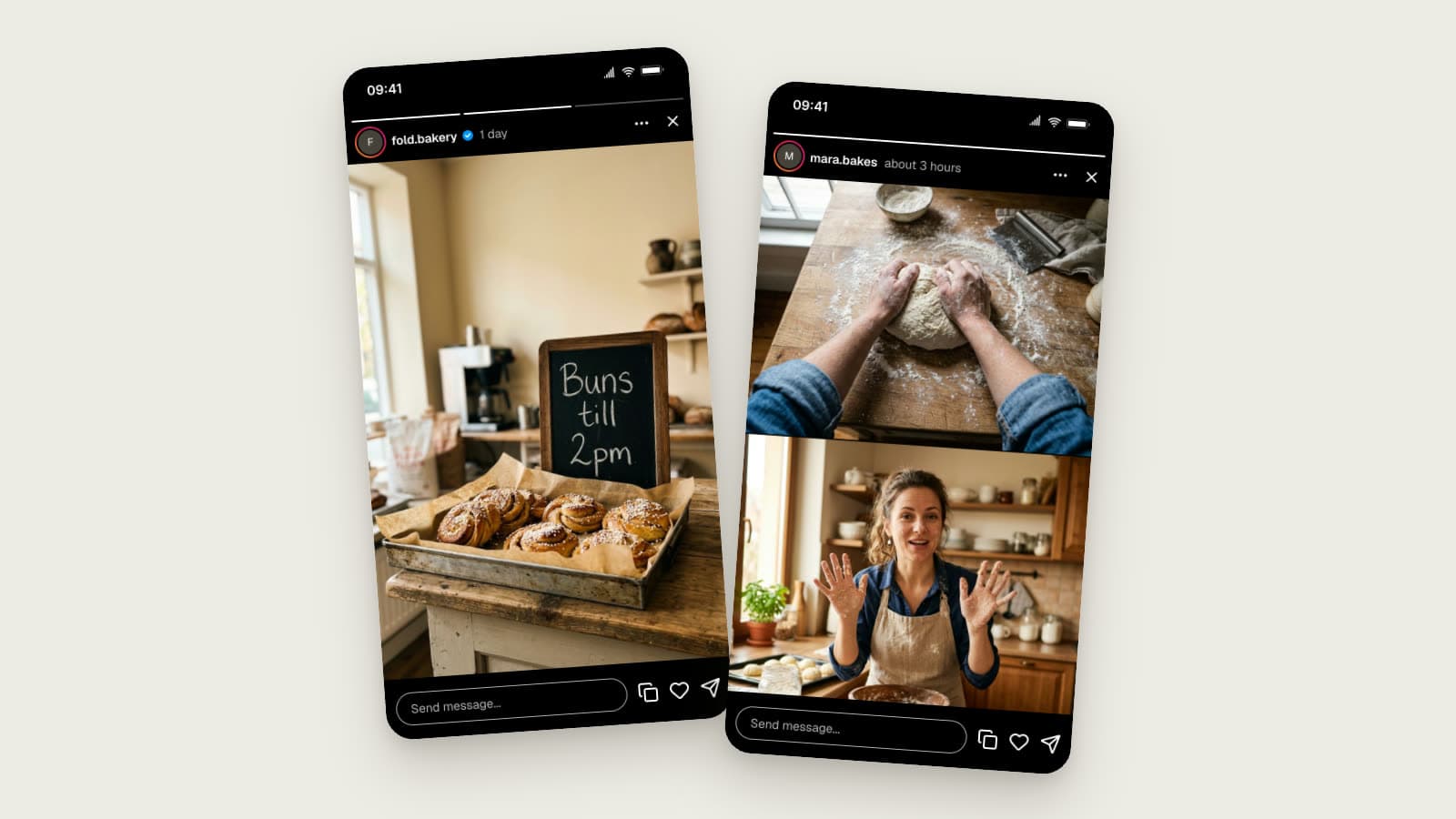
A bakery brand on day two of a 48-hour story. Three slides, the middle one active, and the header reads "1 day".
What to look for:
- Three segments, one longer run. The bar shows the whole story, so the client sees what day one and day two share.
- "1 day" is the tell. A regular story is gone by then. The age label is what shows this one is on its second day.
- Plan day two as a reminder, not a repeat. "Buns till 2pm" works because it's new information for people who saw yesterday's slides.
Example 4: The Multi-Cam Story
A home-baking creator filming with glasses and a phone at the same time. The slide is a stacked two-angle frame: the glasses view of hands shaping dough on top, the phone view of the baker at the counter below.
We don't copy Instagram's Multi-Cam layout
Instagram decides how the two angles sit in the frame inside its own editor. The stacked frame above is our own composition. Compose yours however you like, and Mockly adds the story chrome around it.
Tips for a two-angle frame:
- Shoot both angles at the same moment. Flour on the hands in both halves sells it. Mismatched details give it away.
- Keep text and stickers off the seam. Anything that crosses the line between the two halves looks broken.
- The phone angle is the one with the face. Put the person on camera where viewers expect to see them, and let the glasses show the work.
Where Teams Actually Use These
- Client approval decks. A story mockup per planned slide, in order. Clients approve visuals, not descriptions.
- Ad comps. Story-placement ads mocked in the real chrome test far better with stakeholders than naked 9:16 creative.
- Influencer briefs. Show the creator what "on-brand" looks like in their own format instead of a paragraph of adjectives.
- Second-day story plans. Story Extend means a 48-hour run. Mock the day-two slide so the client approves the whole window.
- Portfolio pieces. Ran a great campaign under NDA? Rebuild the concept as a mockup with a fictional brand and show the craft without breaching the contract.
- Course material. Teaching social marketing means showing stories, and mockups give you examples you own the rights to.
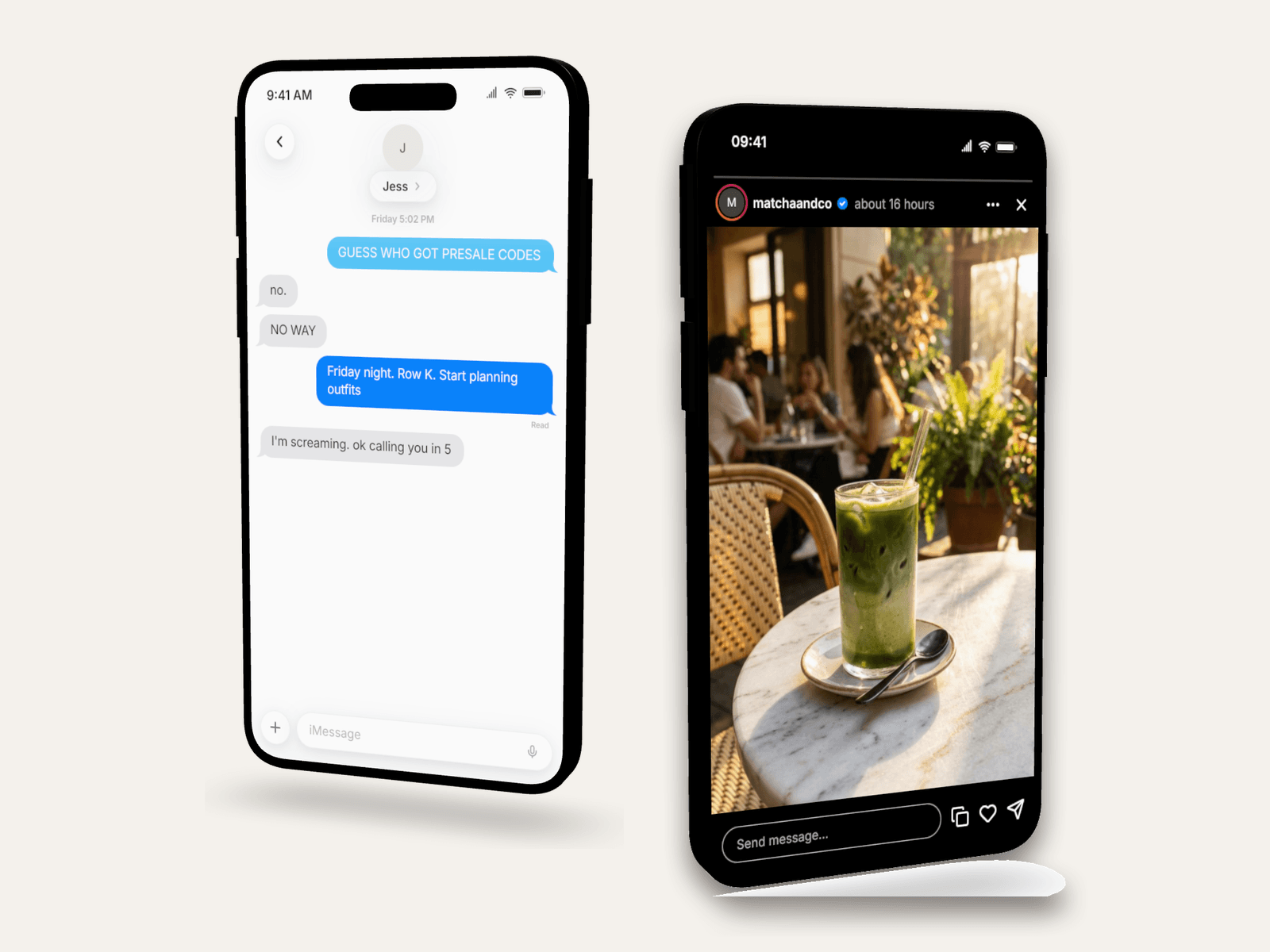
Turn on the 3D phone and the same story drops straight onto a deck slide:
How to Build One in Mockly
- Open the Instagram story editor.
- Set the author. Username, avatar, verified toggle. The story ring renders automatically.
- Add your slides. Upload one 9:16 image per slide; the progress bar shows one segment per slide. For a two-angle story, compose both angles into one image first and upload it as a single slide.
- Pick the active slide and set the age. A few hours reads as fresh. A day reads as a Story Extend run.
- Export. PNG for decks and comps, or story video export to watch it play with the progress bar filling.
Free to try, no signup needed. Premium adds HD and 4K, video, and watermark-free export. See the plans.
Snapchat campaigns? The same editor renders Snapchat story mockups with that app's chrome.
Common Mistakes to Avoid
- A square image stretched to 9:16. Shoot or generate vertical. Stretching is instantly visible in the mockup, which is the point of making one.
- Missing progress segments. One segment when the copy says "story 2 of 3". Stakeholders notice inconsistencies like this more than design flaws.
- Studio lighting on a "UGC" story. Match production value to the persona: brands can gloss, creators shouldn't.
- Fresh timestamp on evergreen decks. "2m ago" in a deck reviewed next quarter reads oddly. "14h" ages better.
- Promising a 48-hour story to a client who is not on Instagram Plus. Story Extend is a paid Instagram feature. Check the account before you plan the window.
Related Guides
- Instagram Comment Generator Guide
- How to Make Fake Instagram DMs
- How to Make Fake Snapchat Messages
- Message Mockups for Marketing Presentations
- How Agencies Use Chat Mockups in Pitch Decks
- How to Spot a Fake Screenshot
- Best Fake Screenshot Generators in 2026
FAQ
Can I make an Instagram story mockup for free?
Yes. The story editor is free to try, no signup needed. Your first export is free, and a free account adds 3 more. Premium adds HD and 4K export, video, and watermark-free images.
Can I show multiple slides?
Yes. Add as many slides as the story needs and the progress bar renders one segment per slide. You pick which slide is active in the export.
Can I animate the story?
Yes. Story video export plays the slides with the progress bar filling in real time, like watching the actual story. Video export is part of Premium.
Does it work for Snapchat too?
Yes, the Snapchat story editor renders Snapchat's own chrome. Same workflow, different app.
What image size should my slides be?
9:16 vertical, 1080×1920 or larger. The mockup renders your image full-bleed behind the story chrome, so the source quality is what your audience sees.
Can Mockly show a 48-hour Instagram Plus story?
Yes. Set the story age to a day or more and the header reads "1 day". There is no 48-hour badge in Instagram, so there is none to add.
Can I make a Multi-Cam story mockup?
Yes, by composing the two angles into one 9:16 image and uploading it as a slide. Mockly renders the image full-bleed with the real story chrome. It does not reproduce Instagram's Multi-Cam editor or its frame arrangement.
Do I need Instagram Plus or Meta glasses to make these mockups?
No. The mockup is an image. Instagram Plus and Meta glasses are what you need to publish the real thing.
Is Mockly affiliated with Instagram or Meta?
No. Mockly is an independent mockup tool. Instagram, Instagram Plus, Ray-Ban Meta, and Oakley Meta are their owners' trademarks.
Start Creating
Storyboard your next campaign as mockups before anything goes live. Open the Instagram story editor and build slide one.
Try it yourself
Create your first mockup in under a minute
40+ apps. Free to try, no signup needed.
Start your mockupAbout the author
Jordan Patel
Marketing Strategist
Jordan works with founders and growth teams to design testimonial visuals, ad creative, and pitch-deck slides that communicate trust quickly. He writes about practical ways to turn real conversations into persuasive marketing assets.
Tags
More from the blog
Chat Video Generator for TikTok Storytelling
Create animated chat mockup videos for TikTok, Reels, Shorts, tutorials, and product demos. Includes app choices, pacing tips, and export workflow.

Tinder & Bumble Chat Mockups for Dating Content
Create fake Tinder and Bumble conversations for reaction videos, skits, and storytelling, with the match banner, app colors, and timestamps that make them believable.

3D Phone Mockups for TikTok, Reels & Shorts
Learn when to use 3D phone mockups for short-form videos, storytime content, tutorials, and product demos. Includes setup and export tips.