
In August 2026 a screenshot of a White House X post went around that the White House never posted. Lead Stories caught it in three steps: the account had no such post, OpenAI's verification tool found a SynthID watermark showing the image came from OpenAI's tools, and the Hive Moderation detector scored it 99.8% likely AI generated. A screenshot used to be faked by editing a real one. Now it can be generated whole, and the checks changed with it.
Screenshots are not proof
A screenshot is pixels. It has no link to the conversation or post it claims to show, and since 2026 it may never have existed on a screen at all. Treat it as a claim. Run the checks below, then ask for the original.
Two Kinds of Fake Screenshot
- Built or edited. Someone edits a real chat, builds one in a design tool, or uses a mockup generator. These fakes usually get the pixels right and the logic wrong: a read receipt on the wrong side, a timestamp in the wrong spot, a status bar from the wrong phone.
- Generated. Someone asks an image model for "a WhatsApp chat about X" and gets a finished picture. These can carry a watermark from the model maker, and they slip on small text and on how the app actually works.
Most fakes you will see are still the first kind. The checks below run from cheapest to slowest. Stop when one gives you an answer.
Check 1: Ask the Watermark Detectors
SynthID is Google DeepMind's invisible watermark. It sits in the pixels of images, video, and audio made with Google models like Gemini and Nano Banana. Google says it is designed to stand up to cropping, filters, and lossy compression. In May 2026 OpenAI started adding SynthID to images from ChatGPT, Codex, and its API too, which is why the White House fake was caught.
Three places to run the check today:
- The Gemini app. Upload the image and ask "Was this created with Google AI?". It reads SynthID and Content Credentials. Google's help page caps it at about 10 image checks per 24 hours and says it only recognizes content made with Google AI tools.
- OpenAI Verify. Upload the image at openai.com/verify. It looks for OpenAI's SynthID watermark and its signed Content Credentials, and it only covers images from OpenAI's own tools. OpenAI announced it as a research preview in May 2026. This is the tool Lead Stories used.
- Google Search. At I/O 2026 Google announced SynthID checks for Search. Google is adding the same check to Lens and Chrome, so expect it where you already look up images.
Google's own SynthID Detector portal is still limited to early testers and a waitlist for journalists and researchers.
Here is the limit, stated once. Each tool only sees its own maker's watermark, and cropping, re-saving or editing an image can remove it. A hit settles the question. A clean result means no watermark was found, not that the image is real: the origin is still unknown, so keep going with the next checks. Both OpenAI and Google say the same.
Check 2: Look for Content Credentials
Content Credentials are signed metadata, built on the open C2PA standard, that record who made a file and with what. Drop the file on verify.contentauthenticity.org to read them.
Adobe apps like Photoshop, Lightroom, and Firefly can attach them. So can the Pixel 10 camera, Nano Banana Pro in the Gemini app, and OpenAI's image tools. Some platforms show a small label when they find them.
The catch for screenshots: credentials live in the file's metadata, and a screenshot is a new file. Taking one drops them. Uploading to most apps and converting formats strips them too. So treat this check one way only. "Credentials present" tells you something real. "No credentials" tells you nothing.
Check 3: Find the Original
This check does the most work, and it needs no pixels. Lead Stories started here: they searched the White House account and the news. Nothing.
- Search the source. Go to the account, page, or channel the screenshot claims to show. Search for a phrase from the post and check the date. A post the account never made is fake, whatever the image looks like.
- Use About this image. In Google Images, Lens, or a right-click in Chrome, About this image shows when Google first saw the image, where else it appears, and any AI metadata it finds.
- Reverse search. TinEye and Yandex find older and cleaner copies. Bellingcat's reverse image search guide covers when to use which.
For a private chat there is no account to search. Then the original is the phone. Ask to see the thread, or for an export of it.
Check 4: Read the Metadata, Then Distrust It
Open the file's details. A real phone screenshot carries little: dimensions, sometimes the device and OS. Platforms have stripped metadata on upload for years (the Library of Congress summarized the tests), so most files you get from a chat or a feed have nothing.
"Adobe Photoshop" in the software field is a tell. Some image generators write their own name in there too. An empty field is normal and proves nothing. Metadata can confirm a fake. It can never clear one.
Check 5: Zoom Into the Text and the Layout
There is no research guide for spotting AI generated UI screenshots yet. Detection guides cover faces, hands, and product photos. So this part is our own observation: we render chat layouts all day, and we know where an image model slips.
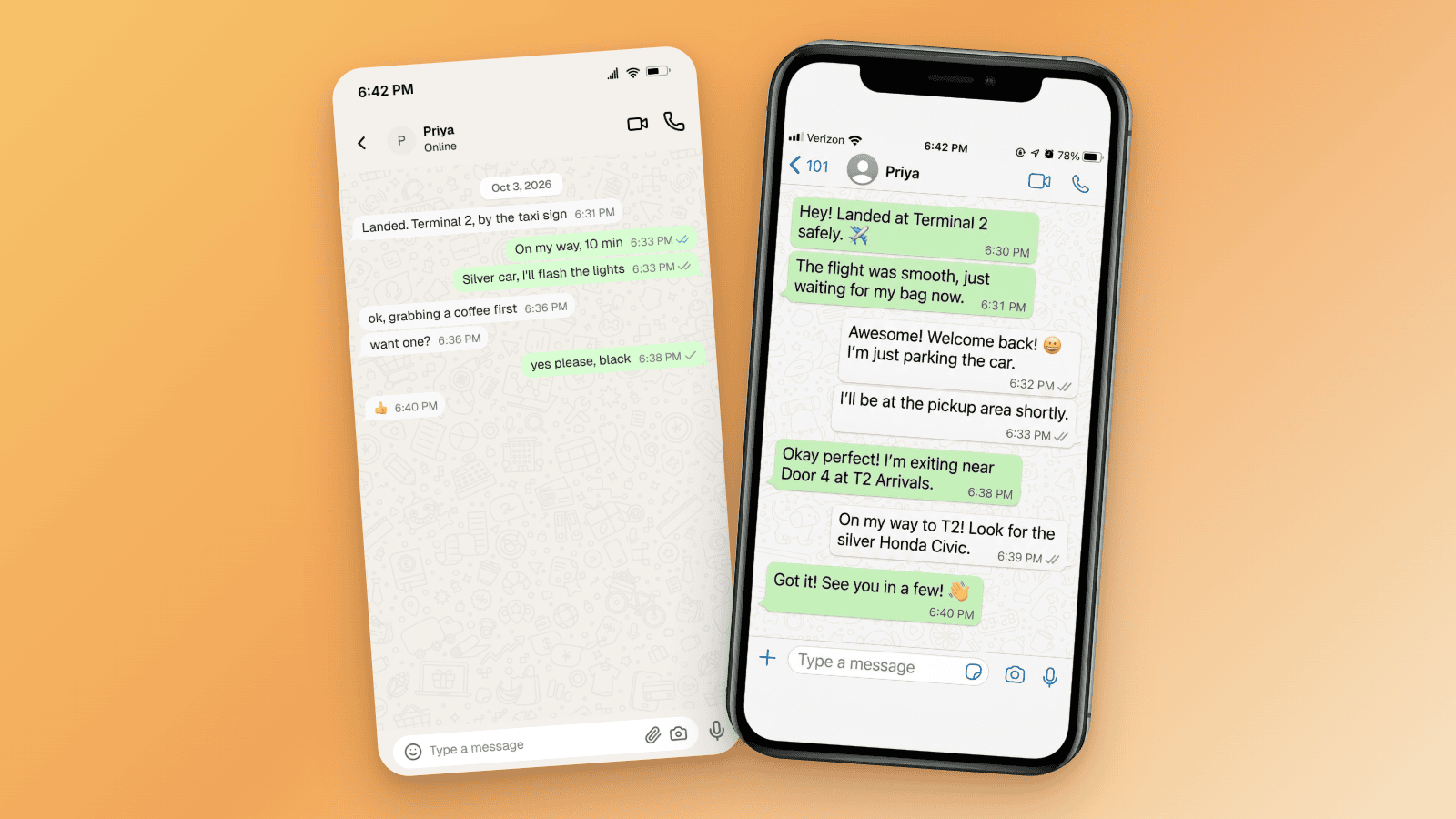
We asked Nano Banana 2 for a WhatsApp chat about an airport pickup and put it next to the same chat built in Mockly.
- The status bar is from two phones. A carrier name on the left and the clock in the center is the old iPhone layout, from phones without a notch. This image draws it under a notch, where iOS puts the clock in the left corner and drops the carrier name.
- The colors are on the wrong side. In WhatsApp your own messages are green and sit on the right. Here green bubbles from Priya sit on the left, and your replies are white on the right.
- The ticks follow the wrong bubbles. Ticks only appear on messages you sent. Here they sit on the white bubbles, and the green ones have none.
Notice what is missing from that list: bad letters. Newer models like Nano Banana Pro and OpenAI's image model write clean text, so the old tells (letters that change weight in a word, almost-letters, two fonts in one timestamp) show up less every month. Look for them at 200%, but expect the logic of the app to give a generated image away first. Pair this check with Checks 1 and 3, never use it alone.
Check 6: The UI Tells, App by App
Built or generated, a fake has to match how the app really works. These are the details we check every time.
- Timestamp logic. Replies arrive too fast, the status bar clock disagrees with the last message, or the date format belongs to another app. iMessage writes "Today 2:03 PM". WhatsApp puts "Today" in a pill and the time inside the bubble.
- Read receipts on the wrong side. Every app shows delivery only on messages you sent. A blue tick, "Read", or "Seen" next to a received message is impossible.
- Timestamp position. Each app has one fixed spot for the time. Fakes built in one app and recolored to look like another get this wrong.
- The status bar. "Carrier" as the network name is the iOS Simulator default. 9:41 is Apple's marketing time. An Android bar on an "iMessage" chat is a giveaway.
- Bubble shape, font, and emoji. iMessage puts a tail on the last bubble in a run, WhatsApp on the first. Slack and Snapchat have no bubbles at all. iOS uses SF Pro, and Apple and Google draw emoji differently, so a mixed set means the image was assembled elsewhere.
The ticks above come from the WhatsApp mockup in the fake WhatsApp chat generator, drawn the way the app draws them.
| App | Bubbles | Time shown | Read indicator |
|---|---|---|---|
| iMessage | Yes, blue and gray, tail on last | Centered divider only | "Delivered" / "Read" under your last bubble |
| Yes, green and white | Inside bubble, bottom right | Ticks after the time, your side only | |
| Instagram DM | Yes, gradient and gray | On long-press only | "Seen" under your last message |
| Messenger | Yes, blue and gray | Date line at top of session | Small avatar next to your last message |
| Snapchat | No, colored text with bar | Under each message | None in thread |
| TikTok | Yes, teal and gray | Inside bubble, bottom right | None in thread |
| Slack | No, flat rows | Next to name | None |
| Teams | Yes, purple and gray | Date line, plus on hover | Avatar "seen" indicator, your side |
| X post | No, name and @handle row | "·" then the date | None, views icon in the action row |
For posts, check the header row. An X post shows the name, a verified badge if the account has one, the @handle, a "·" and the date, with a views count in the action row.
One last tell catches fakes the pixels miss: the conversation is too good. Full sentences, the damning line last, nothing before the important part. A screenshot that confirms exactly what the sharer wants you to believe deserves the most scrutiny.
What Detectors Get Wrong
Vendors report high accuracy. Hive and Sightengine both publish benchmarks around 98%. Those are their own numbers.
Independent tests are less kind. When Bellingcat tested AI or Not, it caught every original Midjourney file. After compression, 7 of 10 AI images passed as real, and 6 of 20 real photos were flagged as AI. Screenshots pass through exactly that kind of compression on their way to you.
And each watermark tool only sees its own vendor's mark. So use the same order fact-checkers use: find the source, run the watermark checks, read the UI, and treat a general detector score as the last and weakest signal. Never trust one check alone.
If You Make Mockups
Mockly renders each app's real layout. A mockup passes Check 6 by design, because that is the point of a skit, a tutorial, a course slide, or a film prop. Every free export carries a watermark: diagonal "GETMOCKLY.COM" marks across the image and a "Made with Mockly" badge in the corner. That is the disclosure.
Premium exports have no watermark. Mockly mockups are rendered layouts, not AI images, so they carry no SynthID and no Content Credentials either. That is exactly why Checks 3 and 6 matter for anyone verifying a screenshot: a watermark detector will not flag a mockup, but the source will not have it.
Mockly is built for creators, marketers, teachers, and production teams. It is not for inventing messages from a real person or passing a mockup off as evidence. If you want to see what each option includes, see the plans.
How to Check a Screenshot in Five Minutes
- Run the watermark checks. Try the Gemini app, then OpenAI Verify. A hit settles it. A miss means no watermark was found, so the origin is still unknown.
- Check for Content Credentials. Present means you can read who made it. Absent means nothing.
- Find the original. Search the account for the post. Use About this image, TinEye, or Yandex for the earliest copy.
- Read the metadata. Editing software is a tell. Empty is normal.
- Zoom into the text and the layout. Look for a mixed status bar, colors on the wrong side, and letters that drift.
- Check the UI against the app. Read receipts, timestamp position, status bar, bubble shape. Compare with the real app.
Related Guides
- What Makes a Mockup Feel Real on Screen
- Best Fake Screenshot Generators 2026
- How to Make Fake Chat Screenshots (2026 Guide)
- How to Make a Fake Tweet
- Chat Mockups for Teachers & Course Creators
FAQ
Can you tell if a screenshot is AI generated?
Often. Watermark checks catch images from Google and OpenAI tools, and layout mistakes catch many others. None is proof on its own, so look for the original too.
Does SynthID survive a screenshot?
Google says SynthID is designed to survive crops, filters, and compression. OpenAI says its watermark can hold up through changes like screenshots. Treat survival as likely, not guaranteed.
Is there a free AI screenshot detector?
Yes, three. The Gemini app checks for Google's watermark, OpenAI Verify checks for OpenAI's, and verify.contentauthenticity.org reads Content Credentials. Each one only covers its own ecosystem.
Do fake screenshot generators add a watermark?
Mockly does on every free export. Premium exports have no watermark, which is why checking the source matters more than checking the pixels.
Can SynthID detect a Mockly mockup?
No. A Mockly mockup is a rendered layout, not an AI image, so there is no SynthID in it. Check the source and the UI instead.
Are fake screenshot generators illegal?
Making a mockup is legal. Using one to defame someone, commit fraud, or fabricate evidence is not, and courts have sanctioned people for it. Mockly is for fictional and consented content only.
Which check catches the most fakes?
Finding the original. Most fake post screenshots fail at "the account never posted this", before anyone needs to zoom in.
Need a fictional chat or post for a tutorial, a skit, or a slide? Build it in the WhatsApp editor or the X post editor. Free to try, no signup needed.
Try it yourself
Create your first mockup in under a minute
40+ apps. Free to try, no signup needed.
Start your mockupAbout the author
Maurice Kleine
Founder, Mockly
Maurice Kleine builds Mockly and writes about realistic mockup workflows for creators, marketers, designers, and production teams.
Tags
More from the blog
What Makes a Mockup Feel Real on Screen
The realism cues that make chat, AI, social, and phone-screen mockups feel believable on landing pages, in decks, and on camera.
How to Make Fake Chat Screenshots (2026 Guide)
Step-by-step guide to creating fake WhatsApp, iMessage, and Discord chat mockups. Free online generator, no download needed. For marketing and content creation.

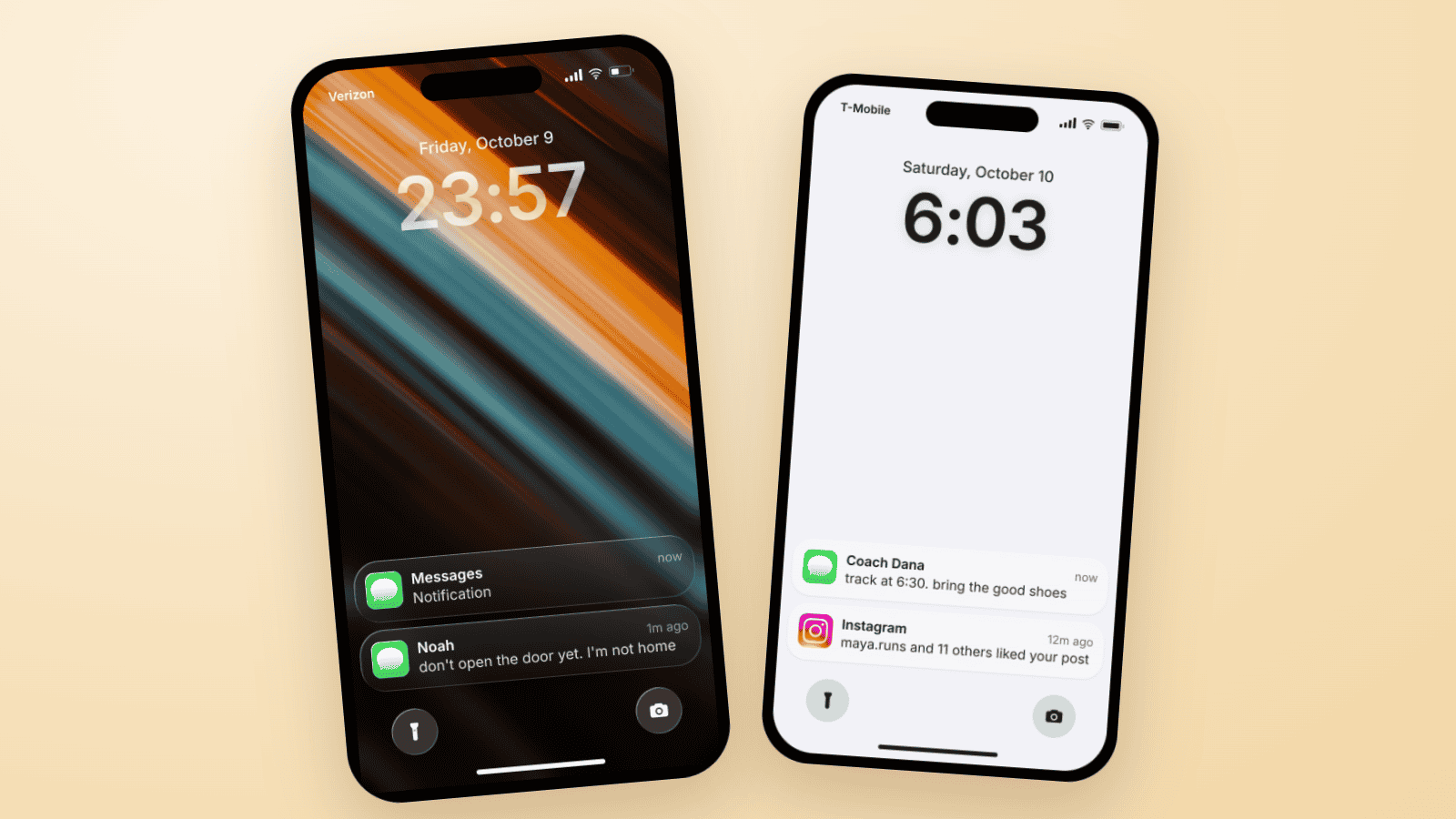
Fake Text on Lock Screen Trend: Build the TikTok Slide
The fake lock screen trend is a TikTok carousel slide: wallpaper, a late clock, one text, a mystery notification. Three examples you can build in Mockly.