

Why Your iMessage Mockup Still Looks Right
iOS 27 shipped on 14 September. Messages got a drawing tool, one notification for a pile of tapbacks, and reactions that finally show up on photos in green-bubble chats with Android friends.
The thread itself looks the same as iOS 26, and that's good news if you make mockups. Blue bubbles, grey replies, the floating header, the "+" button and the input bar are all still right. This guide builds four threads in Mockly and shows what each change means for the conversation you're faking.
Use these for storytelling, not deception
iMessage mockups are for tutorials, skits, film props, course material, and client work. They are not for inventing texts from real people or passing a fake thread off as a genuine screenshot. Keep it fictional or get permission.
What Changed in Messages With iOS 27
Four changes matter if you make chat mockups. Only two of them touch the thread.
The drawing tool
The "+" next to the text field now opens a drawing canvas with the Markup tools: marker, pen, highlighter, eraser. Whatever you draw lands in the conversation as an image.
Show it in Mockly: add an image message (or a mixed one, text plus image) and drop in your doodle. The "+" button is already in the editor's input bar, so the frame around it matches.
One alert for many tapbacks
When three friends react to the same message, the lock screen now shows one notification instead of three. That's a lock-screen change, not a thread change.
Show it in Mockly: build it in the iPhone notification generator. The iPhone notification guide has a worked example.
Green bubbles catch up
RCS chats with Android friends now get inline replies and emoji reactions on photos and videos, the same way blue-bubble chats always did.
Show it in Mockly: switch the bubble color to green in Appearance. One honest note: Mockly doesn't render tapbacks or reply quotes yet. Write the reaction as its own short message ("😂😂" or "omg no"), which is how most people reply anyway.
Liquid Glass, tuned
The update adds a transparency slider and darker edges to the glass look, system-wide. The floating header, back button and input island in the editor already have that glass style.
Every iPhone owner can now set their own transparency, so there is no single "right" opacity to match.
The Details That Make an iMessage Chat Look Real
Blue bubbles are the easy part. These are the signals people actually check without realizing:
- Blue for iMessage, grey for the other person. Your sent messages render on the right in blue; incoming messages sit left in grey. Green means SMS or RCS, the Android thread.
- "Read" under your last message only. iMessage shows a small grey Read or Delivered label under the most recent message you sent. Never under incoming ones.
- A date line above the thread. "Friday 5:02 PM" in small grey text. Real screenshots almost always catch one.
- The contact card in the header. Name (or number) centered under a round avatar, with a chevron. A missing header is the fastest tell of a lazy fake.
- Bubble tails on the last message of a run. Consecutive messages from the same person group together, and only the last one gets the little tail.
- Timestamps that behave like people. A reply 12 seconds later reads as scripted. Forty seconds, four minutes, an hour: that's texting.
Mockly's iMessage renderer handles the visual rules automatically. Your job is the conversation.
Example 1: The Drawing Reply
Someone asks for an opinion, and the answer comes back as a doodle. It's the most iOS 27 thing you can put in a thread, and it works for outfit content, couple skits, and any "help me decide" moment.
What sells it:
- The doodle sits in its own sent bubble with a thin border of padding around the image, and the text after it is a separate bubble.
- The drawing is rough on purpose. Two outlines and a red circle. Nobody draws carefully with a thumb.
- One "Read" under the last sent message, then Jess answers twice in a row. Two short bubbles beat one long reply.
Example 2: The Good-News Text
The classic. One person bursts in with news, the other reacts in fragments. Works as a hero visual for creator content, a tutorial image, or any "exciting announcement" moment.
What sells it:
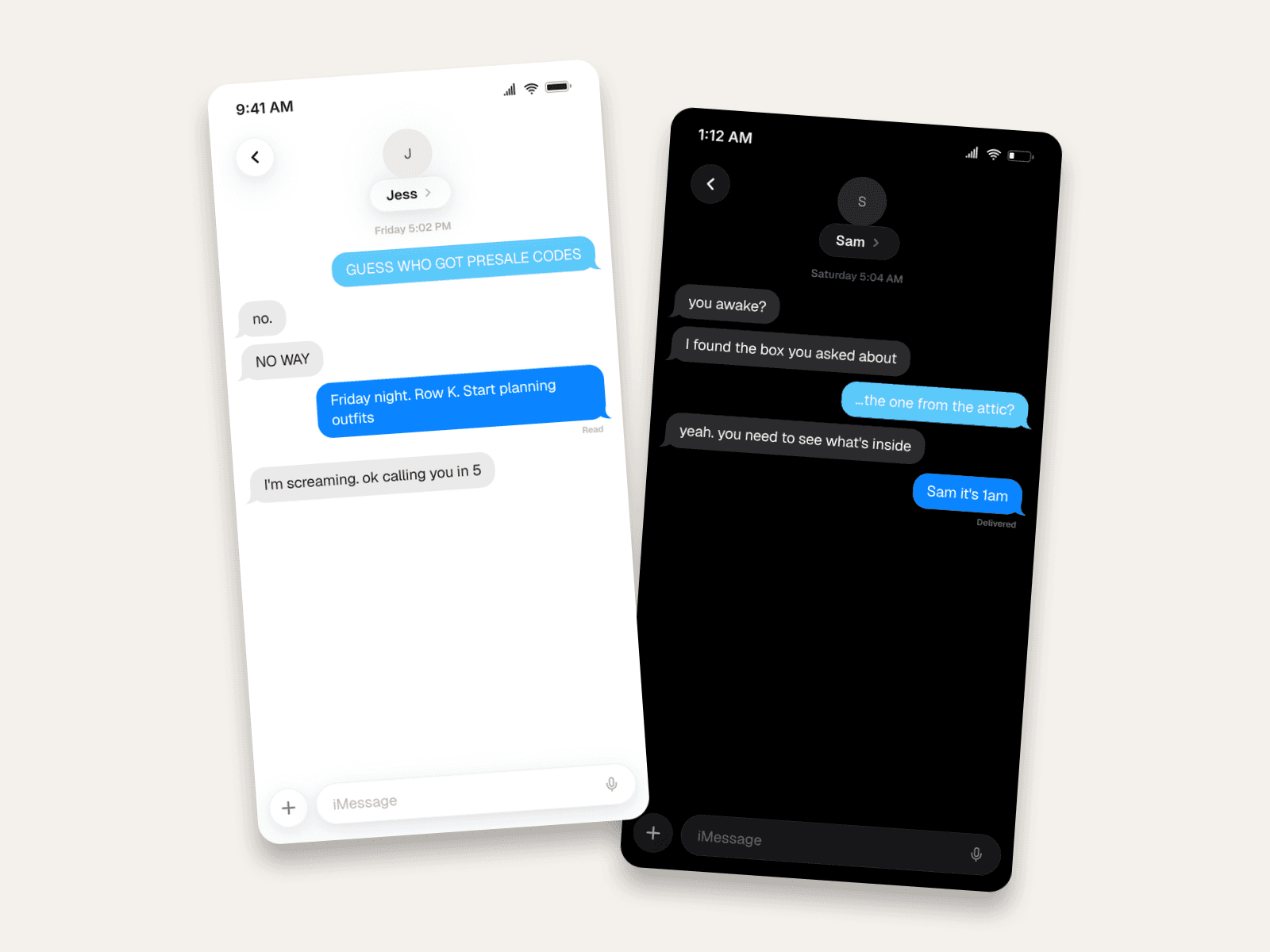
- The reaction comes in two bubbles. "no." then "NO WAY". Real disbelief arrives in fragments, not paragraphs.
- All caps where a person would actually use them. The announcement and the reaction. Not every message.
- The read receipt sits on the sender's key message, the one with the details, which is exactly where your eye goes.
Example 3: The Late-Night Thread in Dark Mode
Dark mode plus a 1:12 AM status bar tells half the story before anyone reads a word. This is the setup for storytime content, mystery skits, and film-prop texts.
The details doing the work:
- The status bar acts. 1:12 AM, battery at 23%. Two settings, instant atmosphere.
- A five-minute gap before the reply. They were asleep. The timestamps say so.
- "Delivered", not "Read". The last message hangs unanswered, and that's what builds the tension. Match the receipt to the story beat.
Example 4: Green Bubbles, the Android Friend
Not everyone in your story has an iPhone. Green bubbles in dark mode set up a thread with an Android friend in one glance, and they're the right frame for the RCS changes.
Why it reads as real:
- Green is the color people read as "Android friend". Your side of the thread turns green, their side stays grey.
- The reaction is a text, not a tapback. Both sides can react and reply inline now, but "yes 😂😂" as its own bubble reads just as right.
- "Delivered", not "Read". RCS chats show delivery too, and leaving the last message unread keeps the threat hanging.
Need more than two people? Group chats with a named header are a Premium feature. Try the editor free, no signup needed, and see the plans when you want groups, unlimited messages, HD and 4K, and watermark-free images.
How to Build One in Mockly
Every example above came from the same flow:
- Open the iMessage editor. The renderer matches the real Messages app: bubbles, header, receipts.
- Name your contact and optionally add an avatar. For groups, switch the conversation type and name the thread.
- Write the conversation, or add a photo or drawing as an image message. Short bubbles. Uneven gaps. Read it out loud before you export.
- Set the scene. Light or dark mode, blue or green bubbles, status-bar time, battery level, 12-hour timestamps.
- Place the receipt. Read or Delivered on your last sent message, whichever fits the story.
- Export. PNG for posts and slides, or chat video export to play the thread out message by message for TikTok and Reels.
Your first export is free, and a free account adds 3 more. Premium removes the watermark and adds HD, 4K, video, and unlimited messages.
Common Mistakes to Avoid
- Read receipts on incoming messages. The single most common giveaway. Receipts only appear under messages you sent.
- Green bubbles by accident. Green is SMS or RCS. If your story is iPhone-to-iPhone, stay blue.
- Missing date line. A thread that starts cold, with no "Today 2:14 PM", looks cropped at best and fake at worst.
- Perfect grammar everywhere. Real texting is lowercase, fragmentary, and fast. Loosen it on purpose.
- Instant replies. Vary the gaps. One delayed answer does more for realism than any visual detail.
- Tapback bubbles pasted on in an image editor. The real ones hug the bubble corner at a fixed size. If you can't place them right, leave them out.
Related Guides
- How to Make WhatsApp Chat Mockups
- WhatsApp Group Chat Mockups
- What Makes a Mockup Feel Real on Screen
- Complete Guide to Fake Screenshots
- How to Make Fake iPhone Notifications
- Fake Text on Lock Screen Trend
- Chat Video Generator for TikTok Storytelling
- How to Do the Wrong Text Trend on TikTok
FAQ
Does Mockly's iMessage mockup match iOS 27?
Yes, for everything a thread shows. Bubbles, the floating header, the "+" and input bar, read receipts and dark mode did not change between iOS 26 and iOS 27. Tapbacks and inline reply quotes are not in the editor yet.
Can I show a drawing sent with the new drawing tool?
Yes. Add it as an image message. It renders in a sent bubble with thin padding around the image, like Example 1 above.
Can I make a fake iMessage chat for free?
Yes. The iMessage editor is free to use, no signup needed. Your first export is free, and a free account adds 3 more. Premium adds HD and 4K export, video, group chats, unlimited messages, and watermark-free images.
Does it support dark mode and read receipts?
Both, plus blue or green bubbles. Dark mode is a toggle, and each sent message can show Sent, Delivered, or Read, exactly where the real app would show them.
Can I make an iMessage group chat mockup?
Yes. Group threads get a named header and sender names above incoming bubbles, like the real Messages app. Group chats are part of Premium.
Can I turn a fake iMessage chat into a video?
Yes. Chat video export animates the conversation message by message, which is the format that works for TikTok and Reels storytelling.
Is it legal to make fake iMessage screenshots?
For fictional storytelling, tutorials, props, and mockups with invented people, yes. Don't fabricate messages from real people or present a mockup as a genuine screenshot to deceive someone.
Start Creating
Pick one of the four scenarios and rebuild it, or write your own. Open the iMessage editor and see how fast a believable thread comes together. More formats live on the fake text message generator page, and the best fake iMessage generators of 2026 shows how the options compare.
Try it yourself
Create your first mockup in under a minute
40+ apps. Free to try, no signup needed.
Start your mockupAbout the author
Elena Brooks
Content Editor
Elena writes step-by-step tutorials and practical guides for creating realistic chat and social mockups. She focuses on helping creators quickly turn ideas into polished visuals that look believable in demos, landing pages, and client work.
Tags
More from the blog
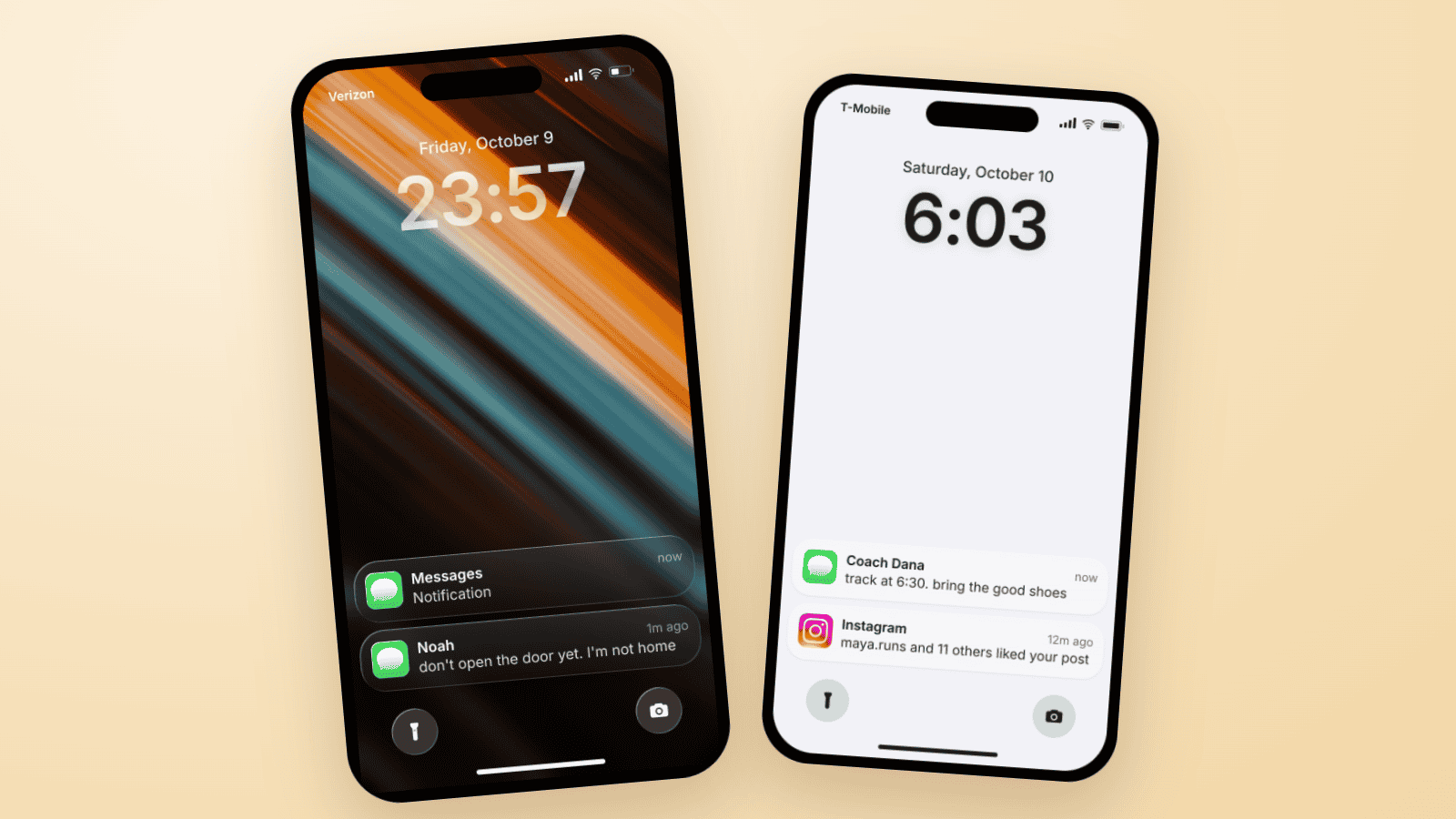
Fake Text on Lock Screen Trend: Build the TikTok Slide
The fake lock screen trend is a TikTok carousel slide: wallpaper, a late clock, one text, a mystery notification. Three examples you can build in Mockly.
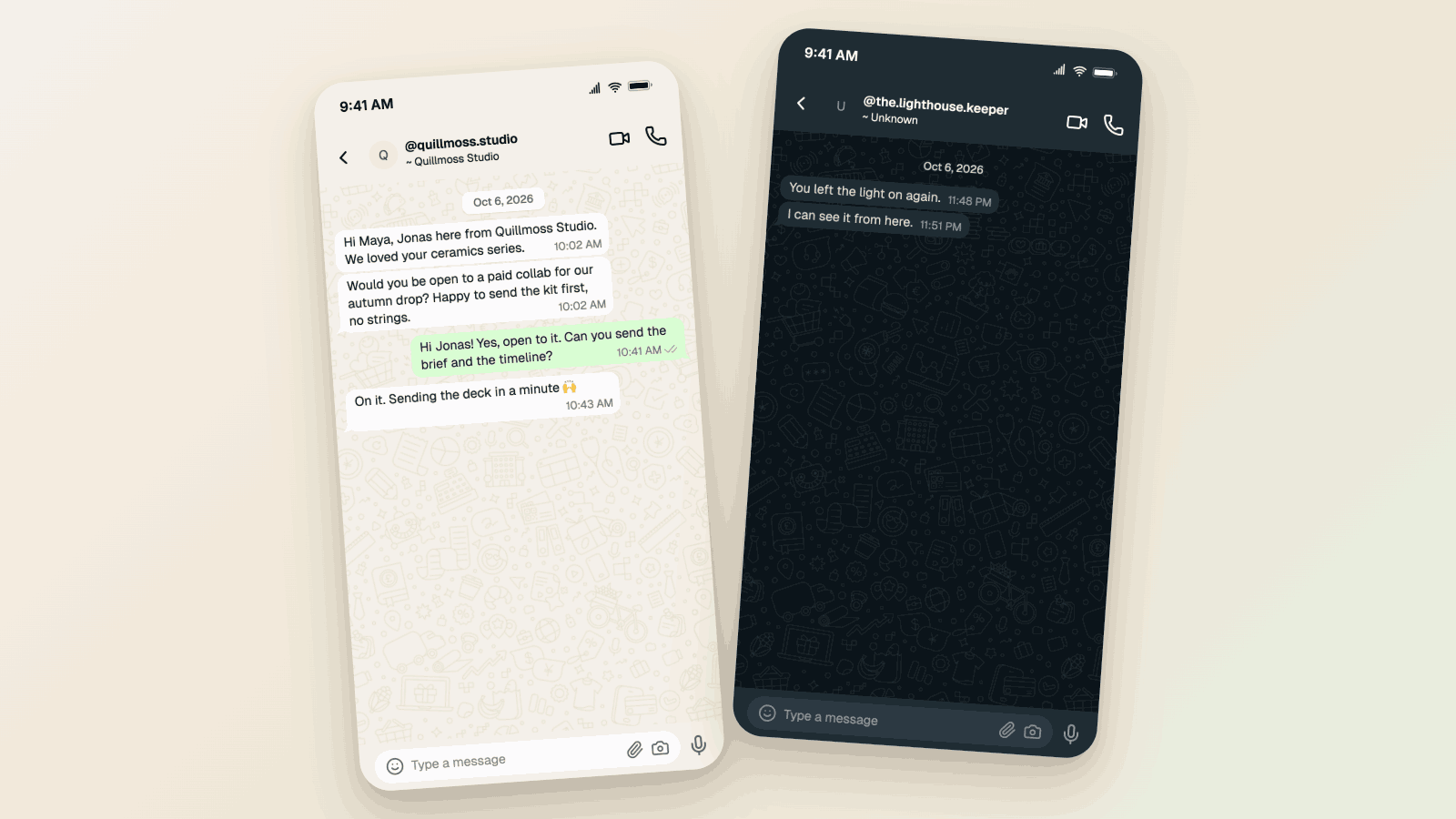
WhatsApp Username Chat Mockups: The @Handle Header (2026)
Make a WhatsApp chat mockup with the @username header. What the 2026 username rollout changed, what stayed, and three examples you can copy. Free to try.
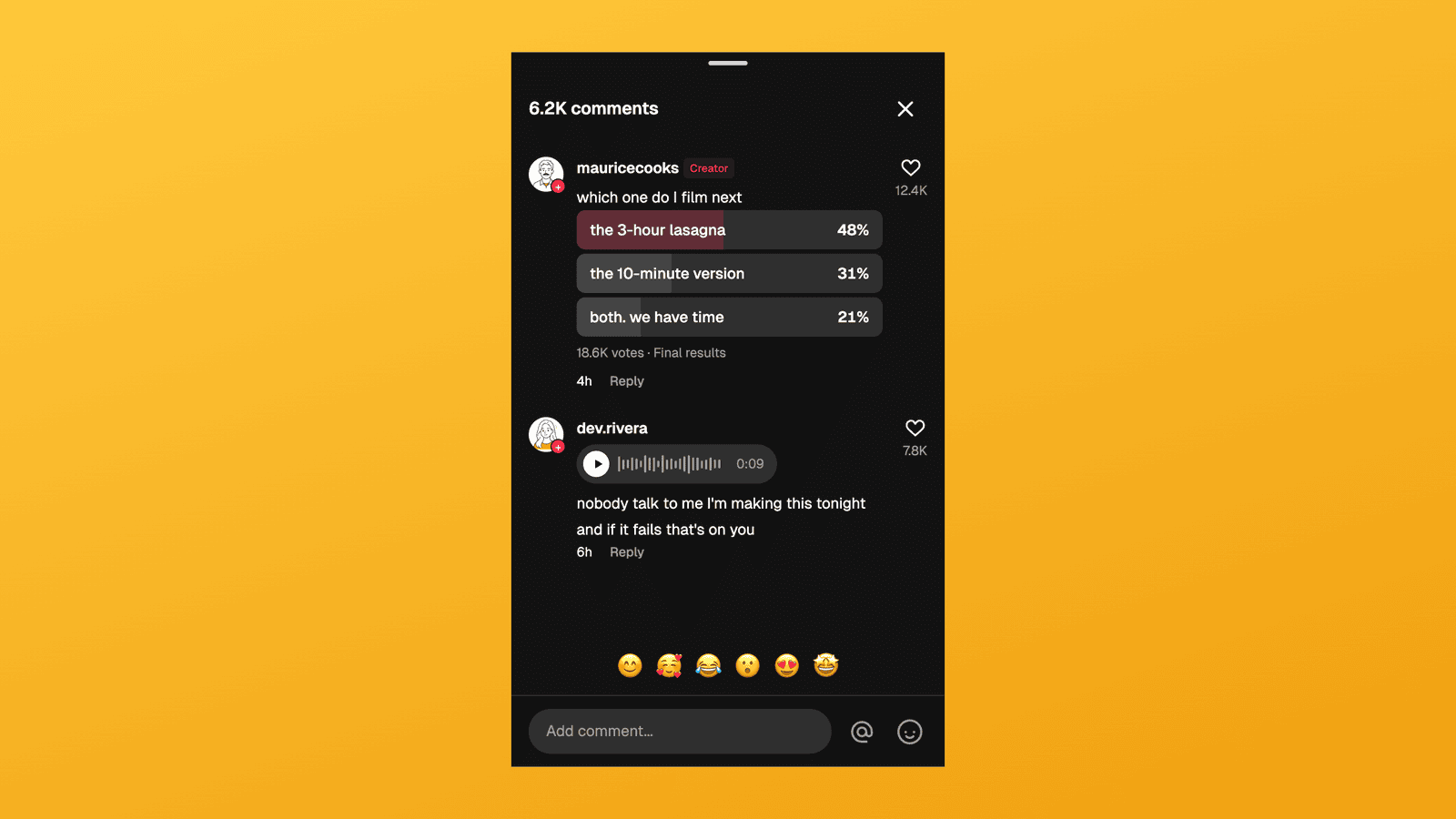
TikTok Comment Template: Voice Comments, Polls and Replies
Make TikTok comment mockups with voice comments and creator polls, plus the Creator badge, replies and heart counts. Free to try, no signup needed.